
AI photo editor
Edit any photo by describing the change.
Remove people, fix the light, change an outfit, turn a snapshot into a product photo or bring an old print back to life. Every edit on this page shows what was typed and what it cost.
One week, seven edits
A week of photos with Noor.
Noor is a fictional AI influencer made in Nenis. Her before photos were made to look like ordinary phone snaps, so every edit starts from a photo with a real problem. The first three edits build on each other.
- 1
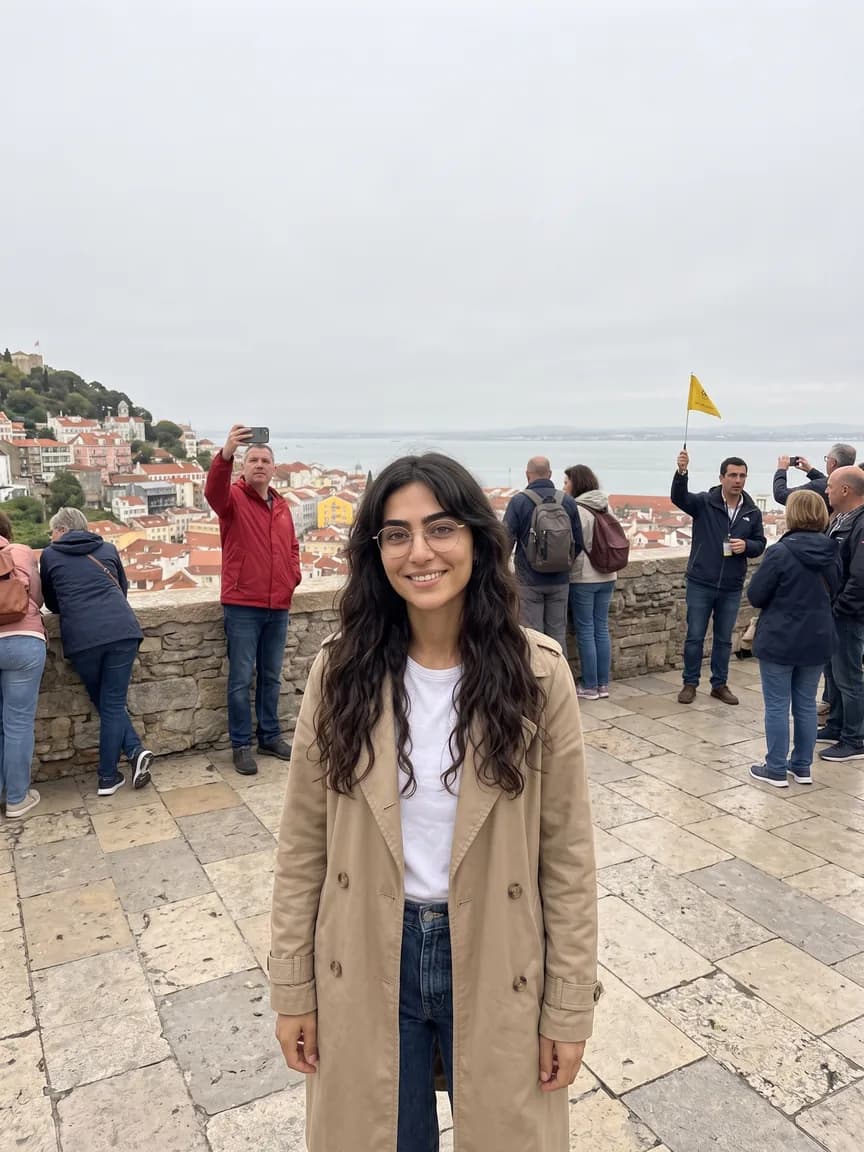
Remove people · Krea 3
Clear the crowd
What was typed
“Remove all the other people from this photo: the man in the red jacket, the couple with backpacks, the tour guide with the yellow flag and everyone at the wall. Keep the woman in the beige trench coat exactly as she is, and fill in the terrace, the wall and the view where they stood. Keep everything else in the photo exactly the same.”
7 credits€0.14
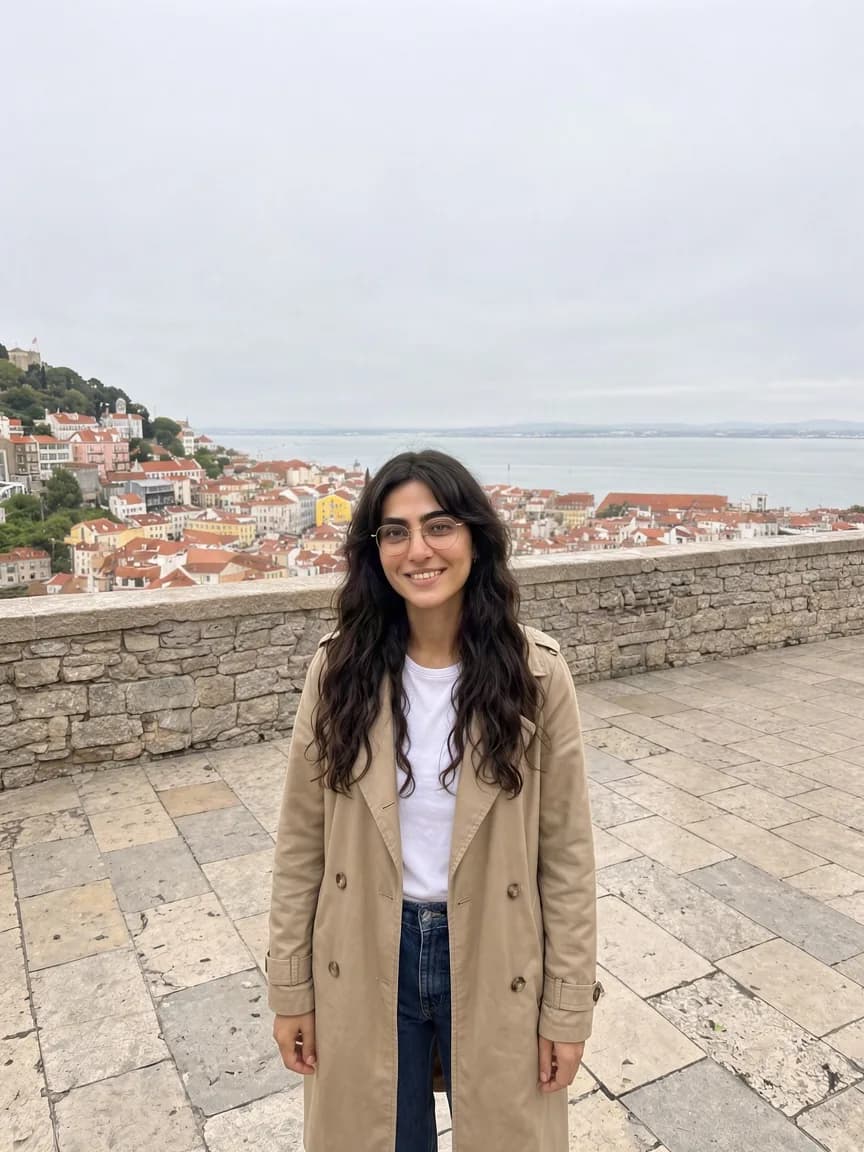 BeforeAfter
 - 2
Change the light · Nano Banana 2.1
Golden hour, without waiting for it
What was typed
“Make this photo look like it was taken at golden hour: a clear sky, warm low sun from the left, soft golden light on her face and on the rooftops, long shadows across the terrace. Keep her, her pose, her clothes and the whole scene exactly the same.”
5 credits€0.10
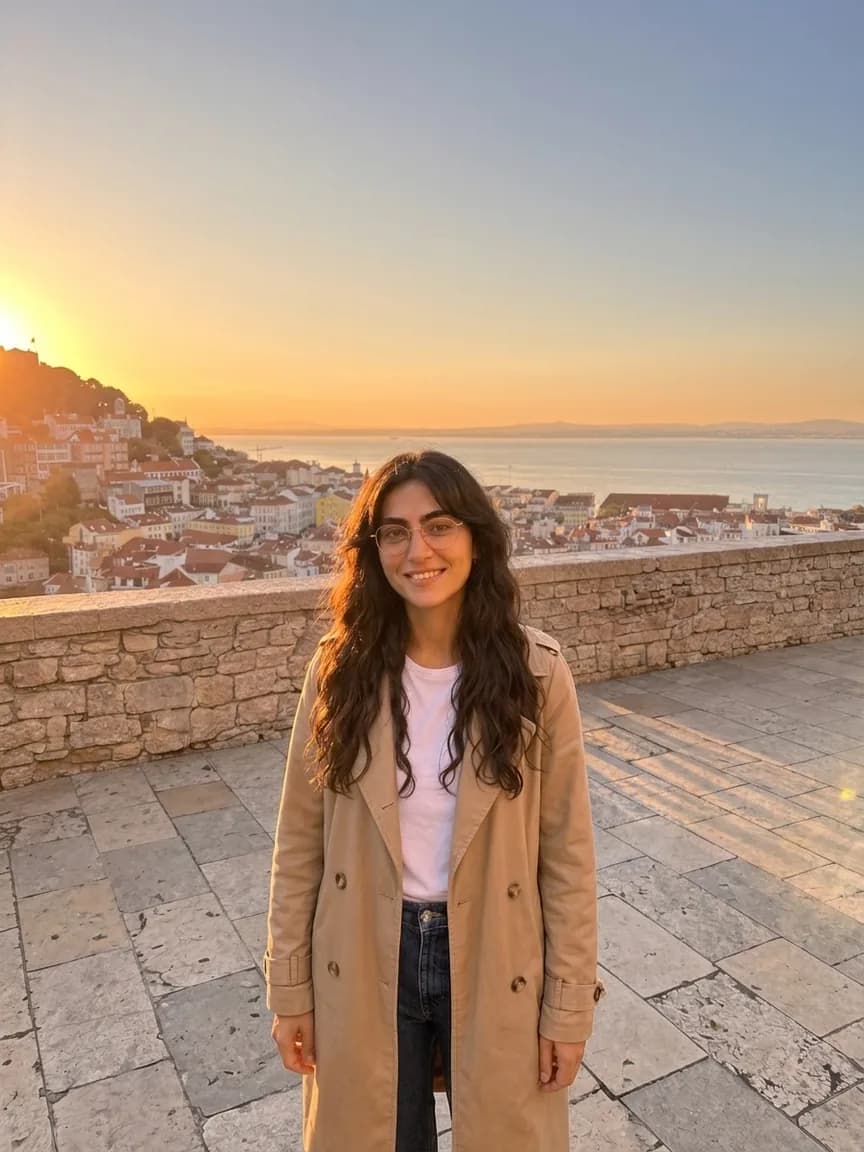 BeforeAfter
 - 3
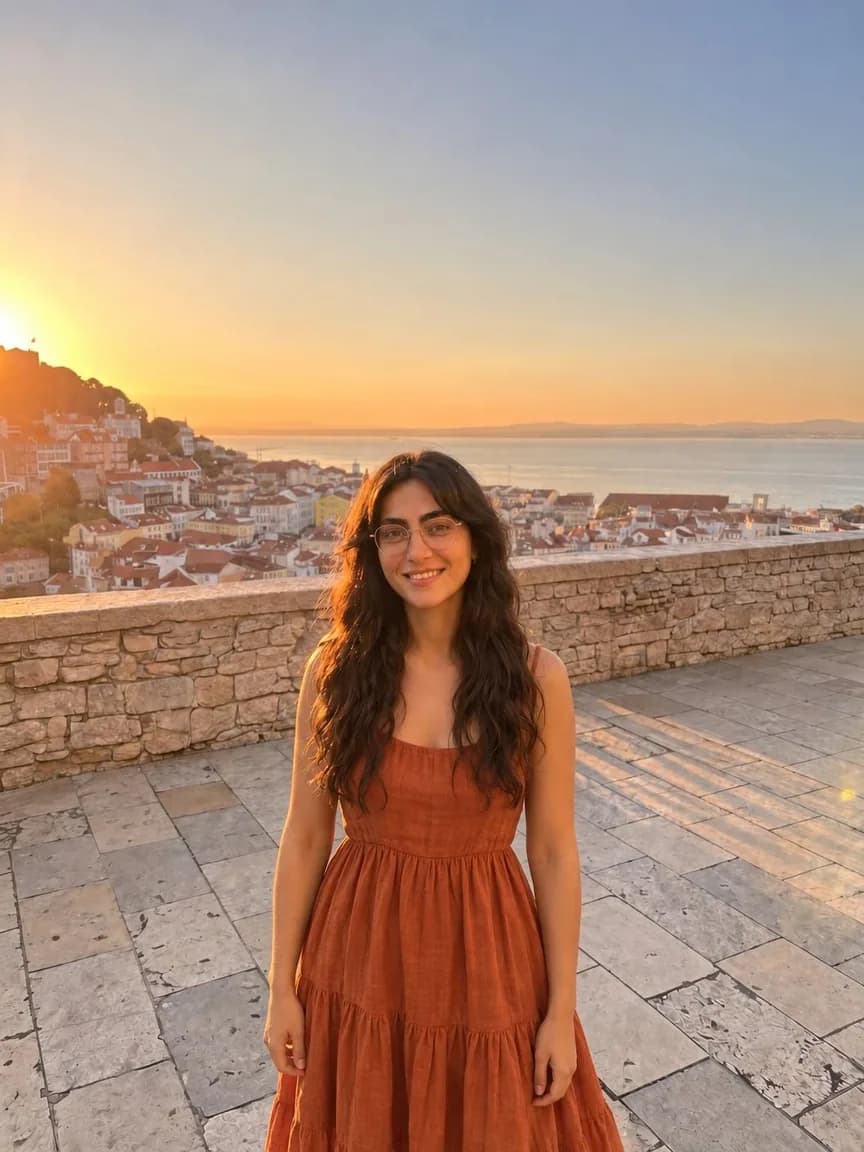
Change the outfit · GPT Image 2.5 Sunburst
A different dress, same moment
What was typed
“Change her outfit: replace the beige trench coat, white t-shirt and jeans with a flowing rust-orange linen midi dress with thin straps. Keep her face, hair, glasses, pose, the light and the whole scene exactly the same.”
8 credits€0.16
BeforeAfter - 4
Make a product photo · Nano Banana 2.1
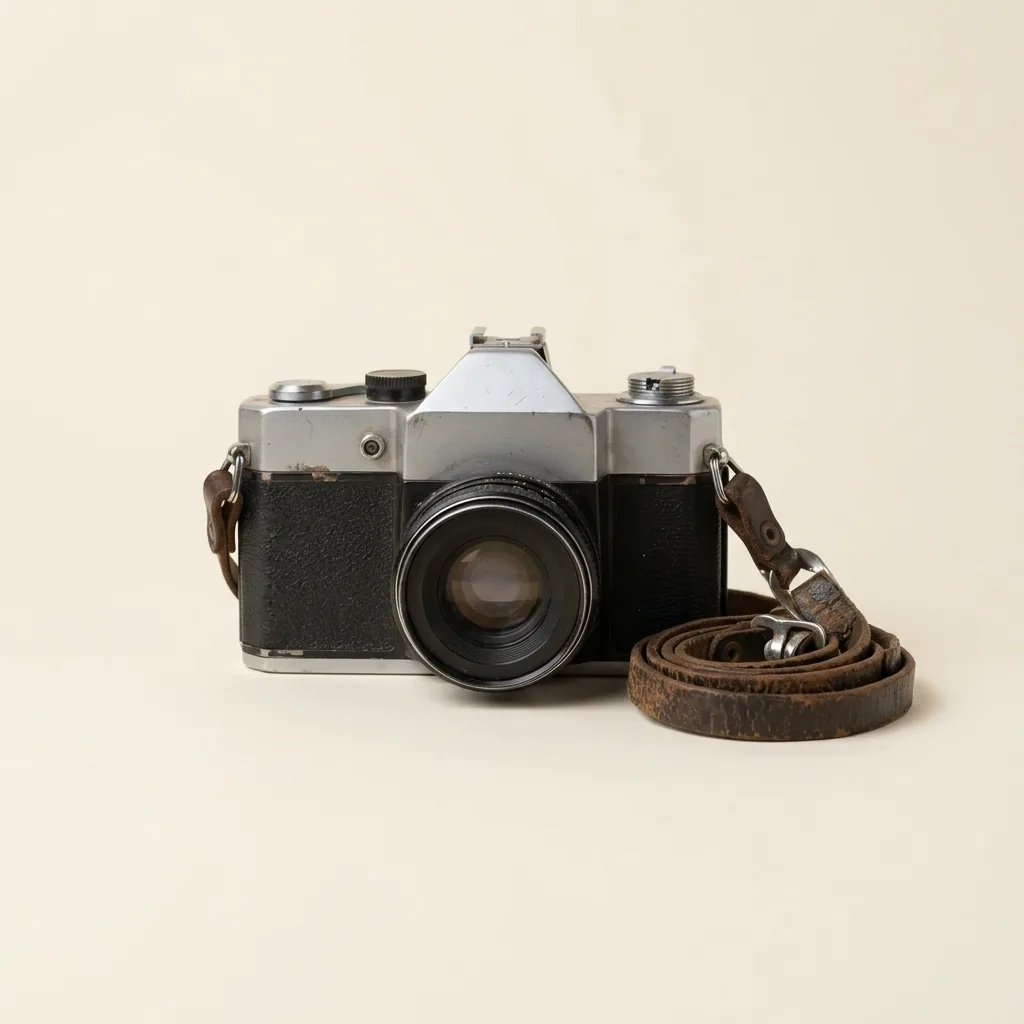
From an unmade bed to a shop listing
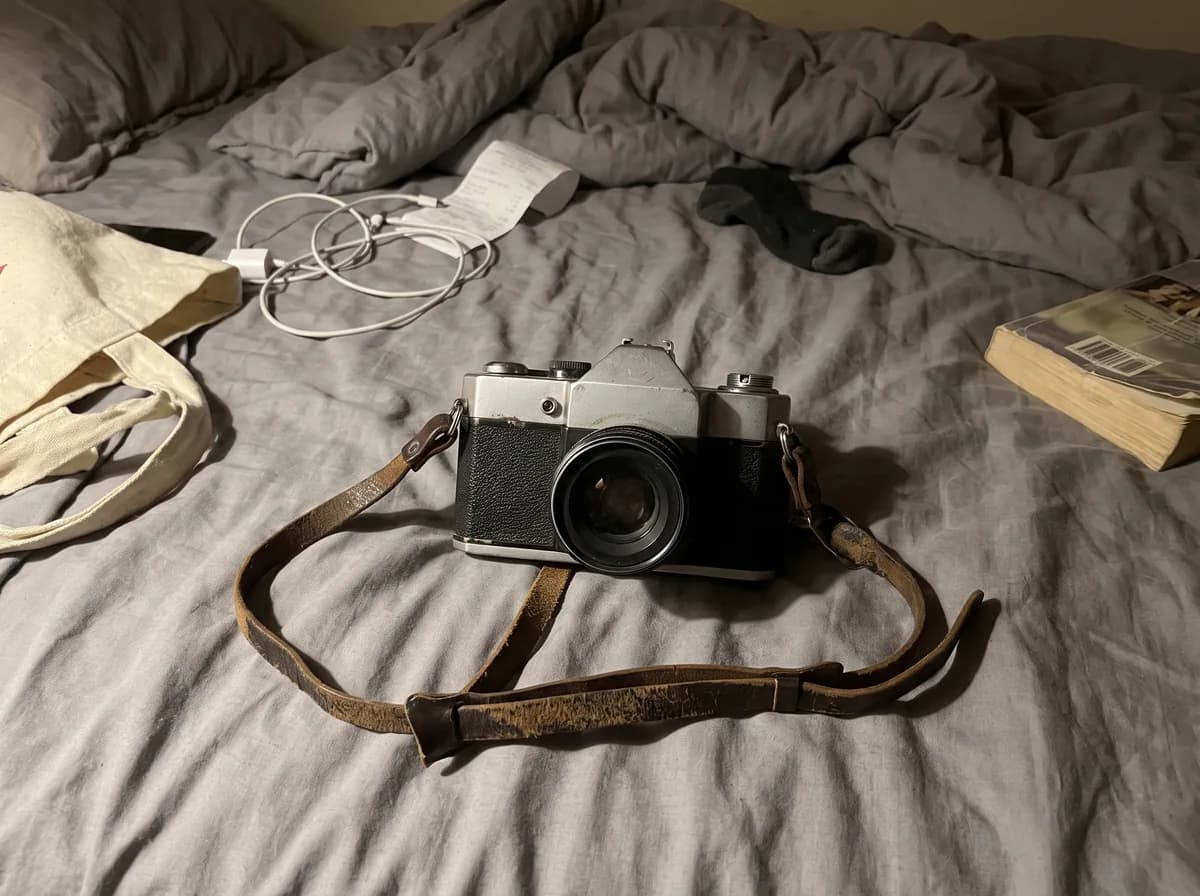
Noor sells her thrift finds online. This is the snap she took of a camera before listing it.
What was typed
“Turn this into a clean product photo for an online shop listing: the same vintage camera, unchanged, on a plain warm off-white background in soft, even studio light, with a gentle shadow under it and the strap neatly coiled beside it. Nothing else in the frame.”
5 credits€0.10
 Before
 After
After - 5
Remove the background · Background Remover
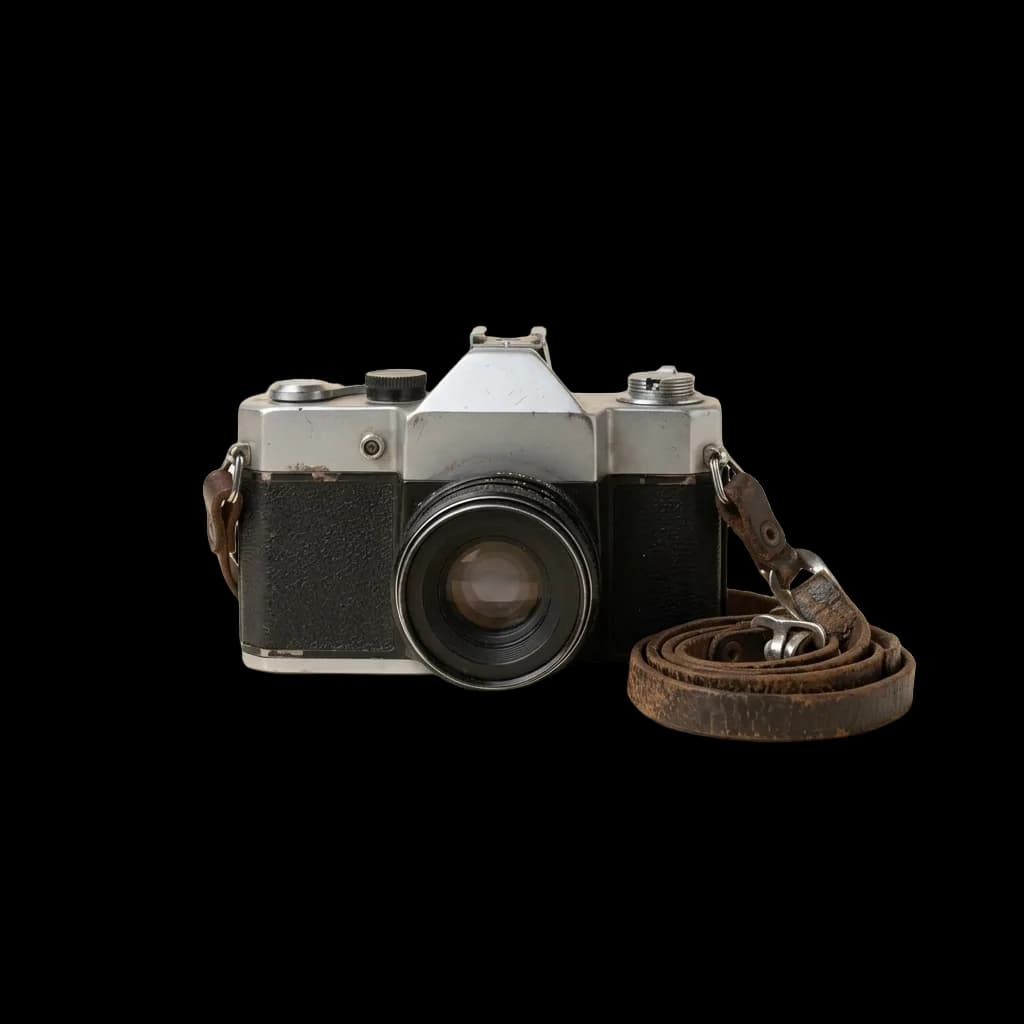
A cut-out for any background
Settings: Transparent background
1 credit€0.02
 BeforeAfter
 - 6
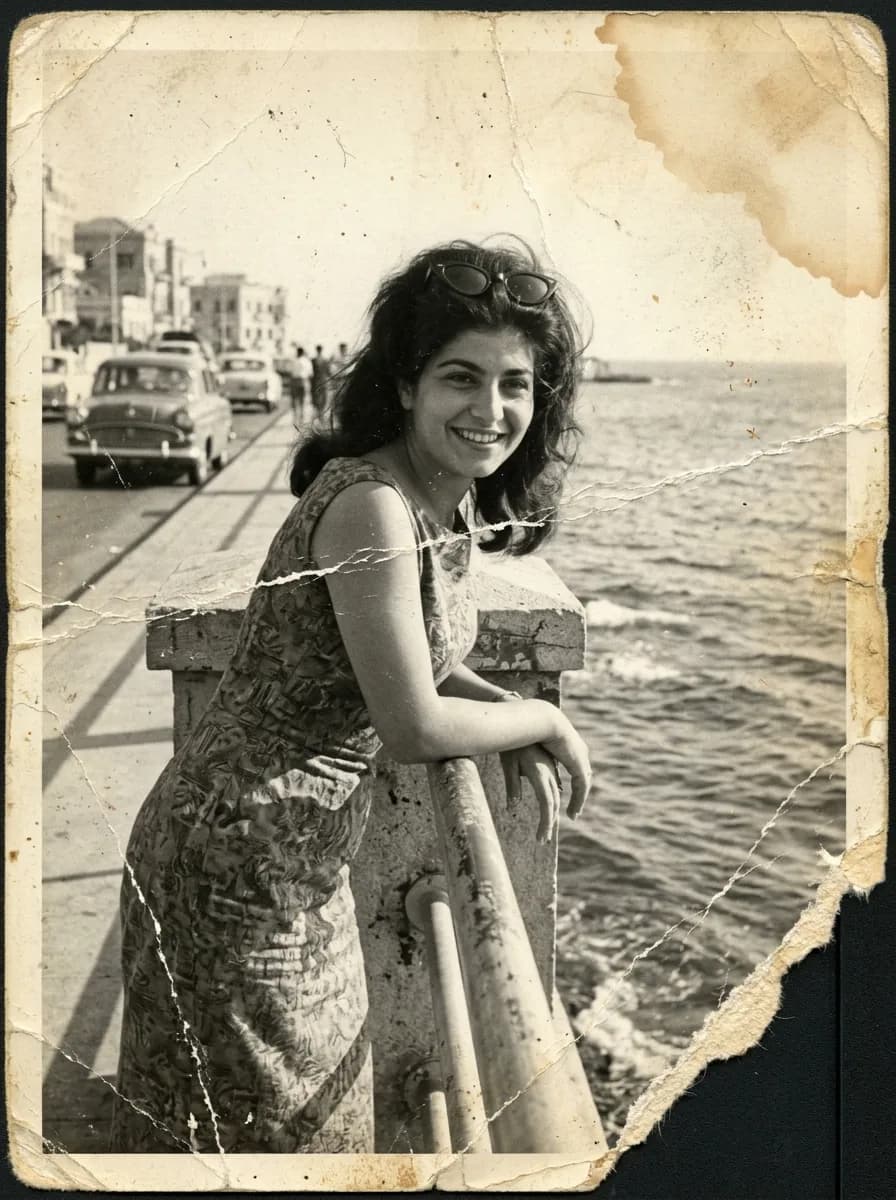
Restore an old photo · Nano Banana 2.1
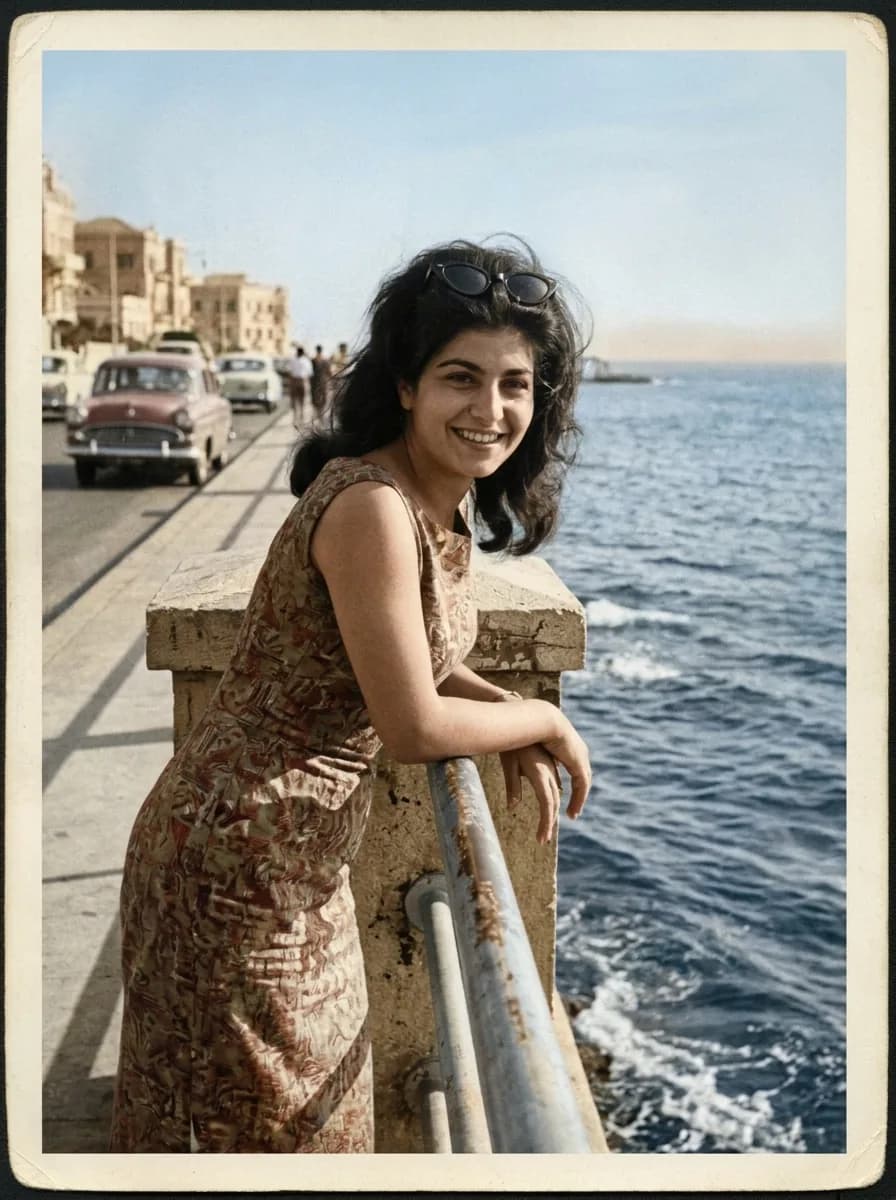
Her grandmother, back in colour
What was typed
“Restore this old photo: remove the creases, cracks, scratches, dust and the water stain, rebuild the torn corner and bring back the contrast. Then colour it naturally, like a 1960s colour photo, with real skin tones and a blue sea and sky. Keep her face, expression and pose and every detail of the scene exactly the same.”
5 credits€0.10
 BeforeAfter
 - 7
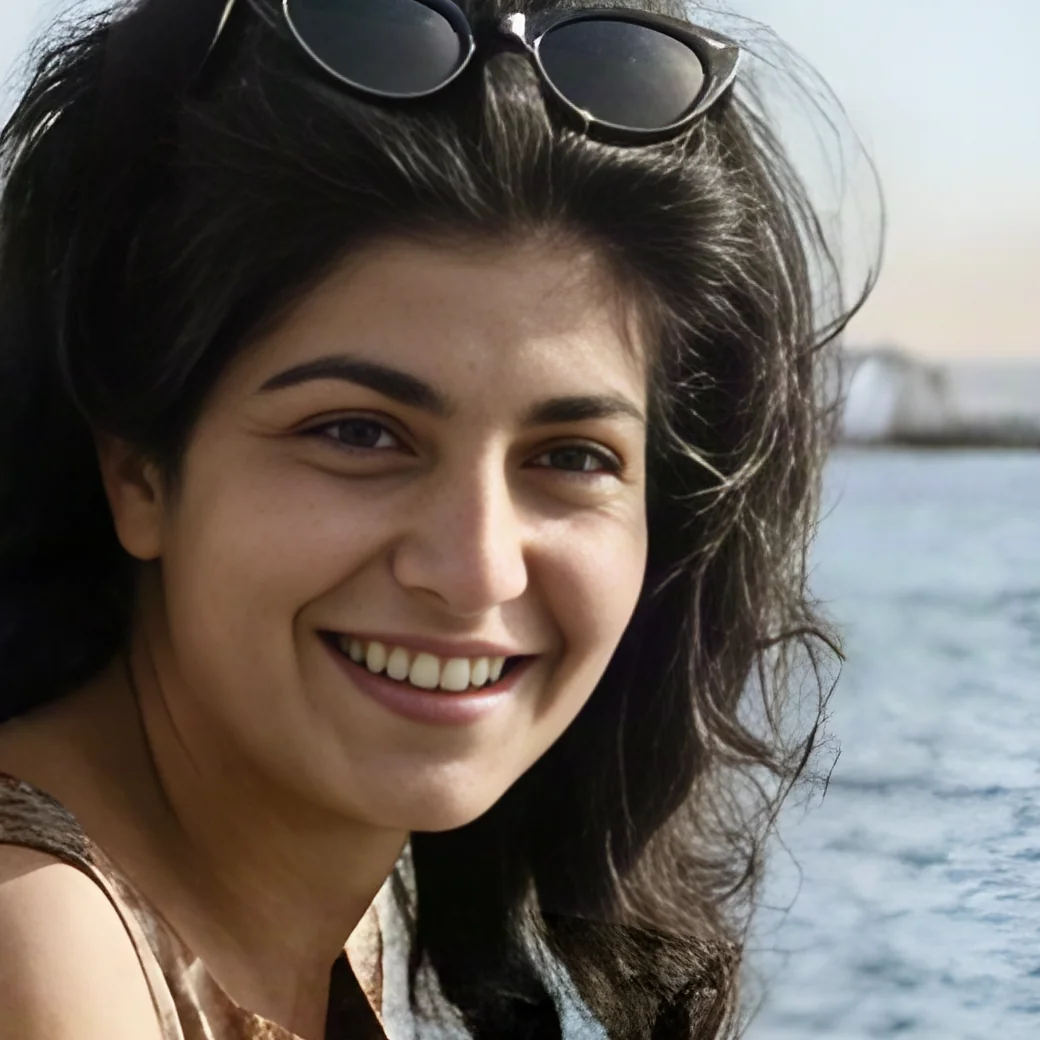
Upscale · Standard Upscaler
Big enough to print
The restored photo went from 896 × 1200 to 3584 × 4800 pixels. Both sides show the same crop of her face at the same size.
Settings: 4×, Faces on
2 credits€0.04
 BeforeAfter
Which tool for which edit
Pick by the change.
| Model | Best for | One edit |
|---|---|---|
| Krea 3 | Remove or change one thing and leave the rest of the photo as it was. | 7 credits€0.14 |
| GPT Image 2.5 Sunburst | Careful changes to people and clothes, worth a little more time. | 8 credits€0.16 |
| Nano Banana 2.1 | Bigger changes: new light, a new background, a product shot, an old photo restored. | 5 credits€0.10 |
| Background Remover | Cuts out the subject and puts it on a transparent, white, green or blurred background. | 1 credit€0.02 |
| Standard Upscaler | Makes a photo two or four times bigger and sharper, with an option to clean up faces. | 2 credits€0.04 |
At 1K with one photo. Bigger sizes and more photos cost more; Create shows the exact price first.
Every model and what it costsQuestions, answered
Clear before you create.
The short version: one studio, one credit balance, no subscription, no ads, and no mystery controls.
Can I edit my own photos?
Yes. Add your photo in Create, type what should change and pick a model. Every image model in Nenis can edit photos; Krea 3 and GPT Image 2.5 Sunburst change the least outside what you ask for.
Can I remove people or objects from a photo?
Yes. Name what should go, like "the man in the red jacket", and say what to keep. On this page Krea 3 removed a whole crowd in one edit for 7 credits (€0.14).
Can it restore and colour old photos?
Yes. Describe the damage to fix and ask for natural colour, like the 1960s print on this page. Then upscale the result 4× to print it.
What does a photo edit cost?
An edit like the ones on this page costs 5 to 8 credits (€0.10 to €0.16). Removing a background costs 1 credit and a 4× upscale 2. No subscription, and you see the price before anything runs.
Does an edit change my original photo?
No. Each edit is saved as a new version, and the original stays in your gallery, so you can go back or edit it again a different way.