Krea 3 Guide: Precise AI Photo Edits That Leave the Rest Alone
A practical Krea 3 guide for Nenis: what it changes and what it keeps, tested edits with their input photos, credit prices from 4 credits, Quick, Careful and Ultra planning, and when another model is the better buy.
Krea 3, the new image model from Krea, is now in Nenis. It edits a photo from a plain sentence and changes only what you ask for: a new label, a new colour, a new time of day. Everything else stays as it was. It also generates images from words alone, from 4 credits at 1K.
The practical decision: use Krea 3 when an edit must leave the rest of the photo untouched, and for cheap 1K images from a prompt. For edits with several photos, Nano Banana 2.1 costs less. The prices section explains why.
What Krea 3 does well
Krea released Krea 3 on October 15, 2026, and calls it an image editing model first. Its launch post makes three claims:
- It leaves alone what you didn't ask it to touch. Change a label, swap one piece of furniture, and the rest of the frame stays put.
- People and products stay consistent. The same face or packaging carries across new poses, places and lighting.
- It is fast. Krea says most edits finish in under 8 seconds at 2K, against 27 seconds for Nano Banana 2 and 90 for GPT Image 2 in its own timing.
Krea 3 settings in Nenis
| Control | Available in Nenis |
|---|---|
| Output sizes | 1K and 2K |
| Aspect ratios | 10: 1:1, 2:3, 3:2, 3:4, 4:3, 4:5, 5:4, 9:16, 16:9, and 21:9 |
| Reference photos | Up to 8 |
| Results per run | 1 to 4 |
| Planning | Quick or Careful; Ultra on edits |
| Format | JPG |
There is no separate edit mode. Write a prompt on its own and Krea 3 generates. Add photos and it edits or combines them. In the prompt, refer to photos by their order: "the woman from image 1", "the mug from image 2".
Krea 3 is also one of the models in the AI influencer builder.
Krea 3 credits
Krea 3 reads every reference photo as well as drawing the result, and each photo is priced like an extra 1K image: about 3.5 credits. Nenis sends your photos at about one megapixel, which Krea says is enough for most edits, so a photo costs the same at 1K and 2K.
| Example | Credits per image |
|---|---|
| 1K, no photos | 4 |
| 1K with one photo | 7 |
| 1K with two photos | 11 |
| 1K with four photos | 18 |
| 2K, no photos | 14 |
| 2K with one photo | 18 |
| 2K with four photos | 28 |
Quick and Careful cost the same. Ultra has its own price, the same at any size: 38 credits with one photo, 42 with two, and 49 with four.
Asking for four results multiplies the per-image price by four. The estimate in Create always shows the final price before you generate.
Tested: what Krea 3 did in Nenis
Nenis made every image below with Krea 3 on October 20, 2026, using the settings shown. Each is the first and only attempt. The input photos are earlier Nenis images, shown first in each pair.
Changing a label and nothing else
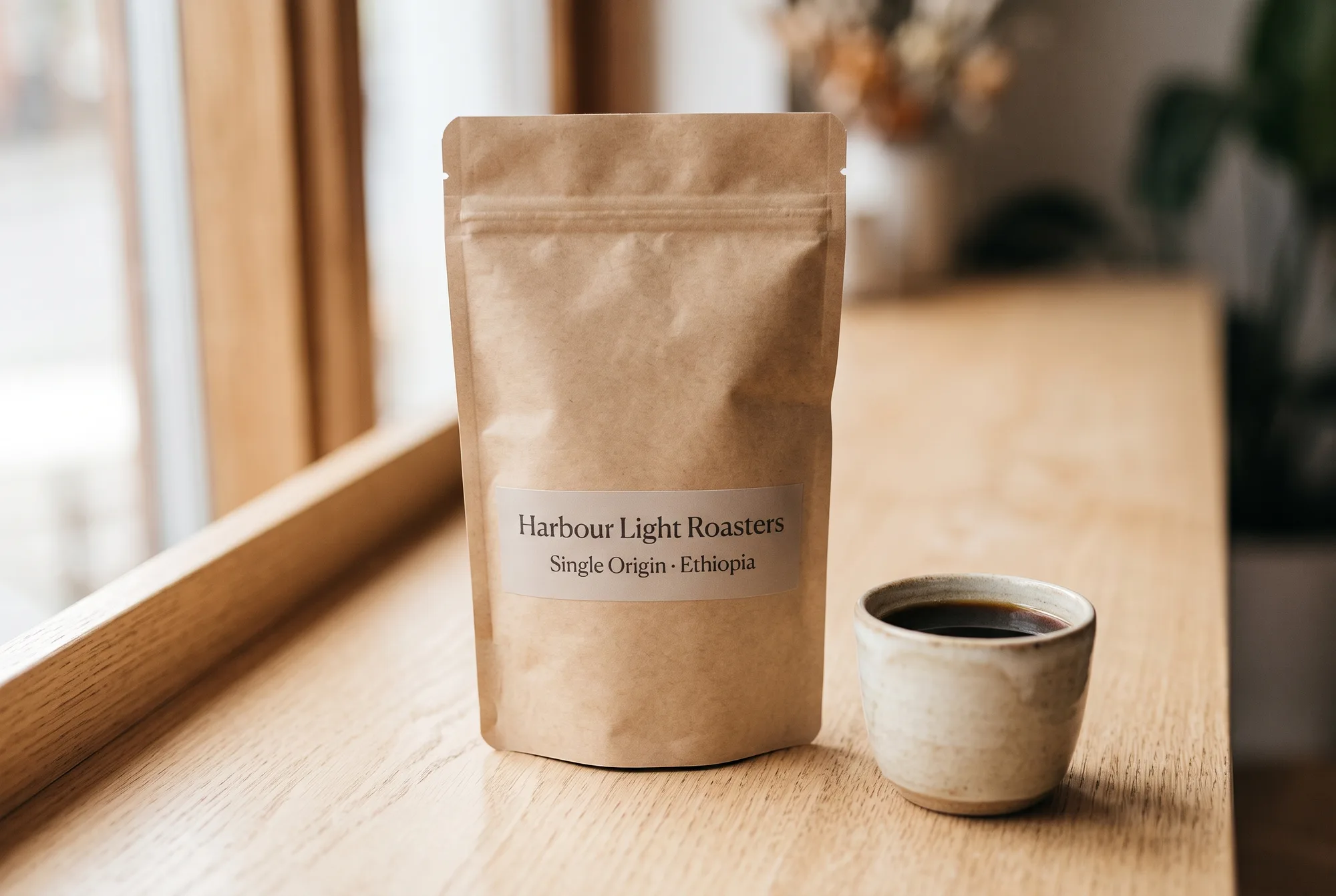
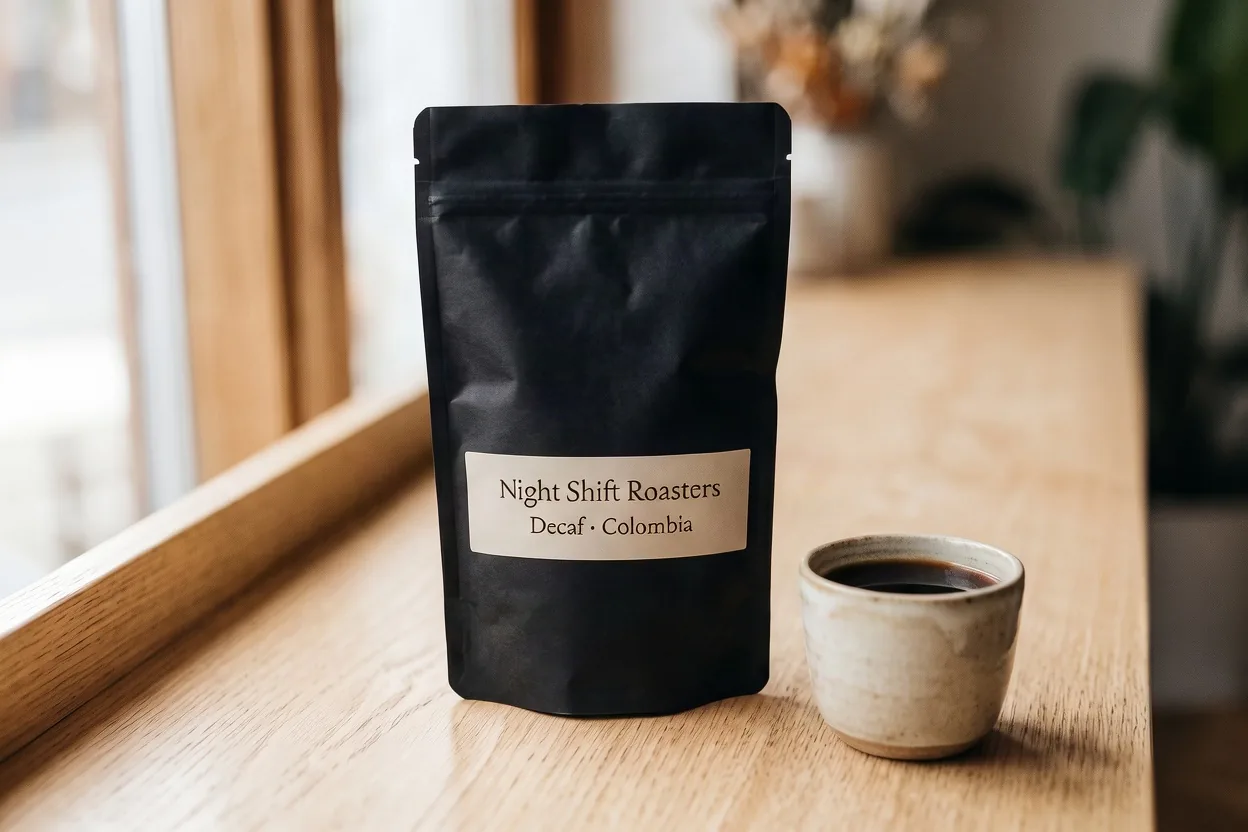
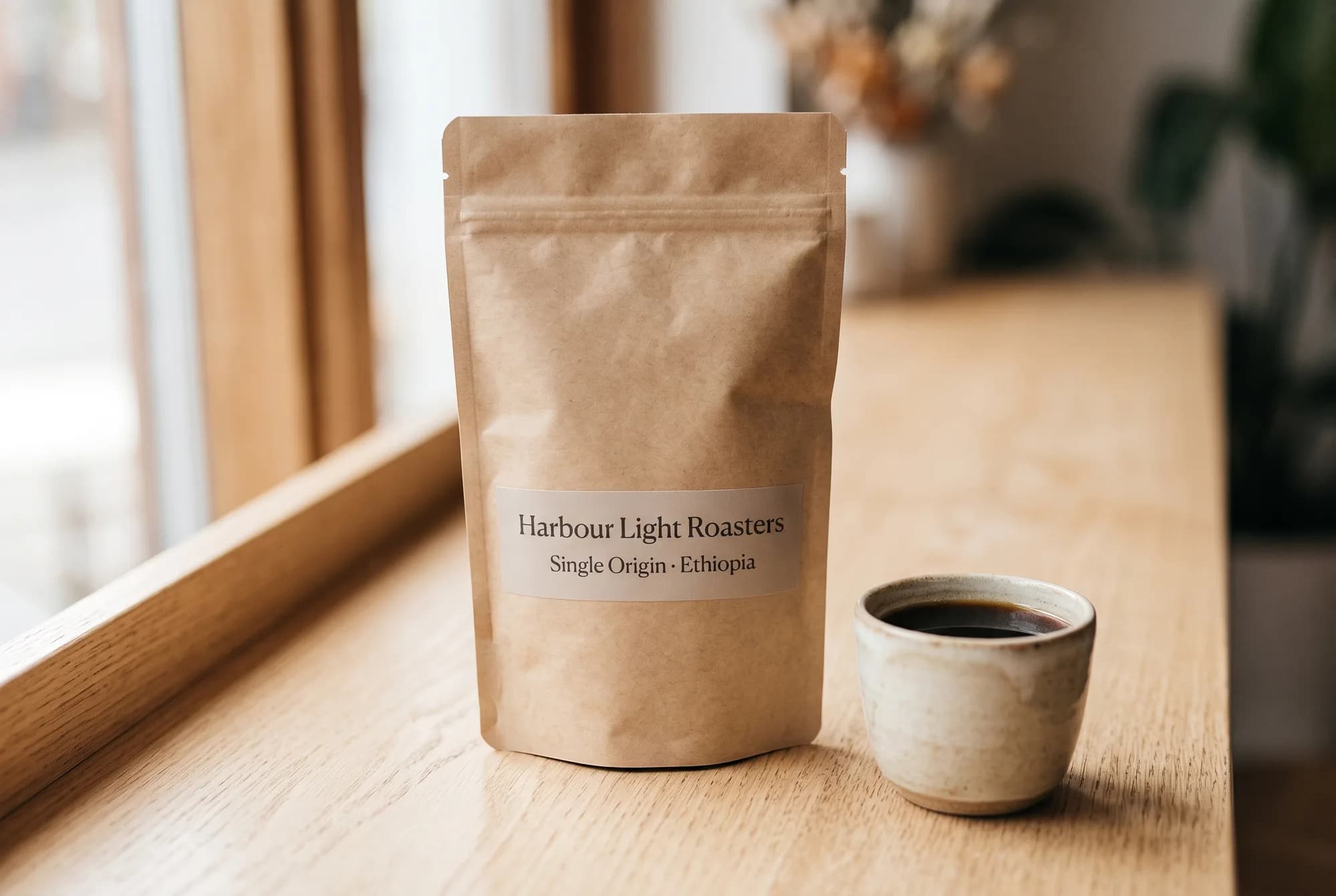
Edit <image-1>. Make the coffee bag matte black, and change the label so the
first line reads "Night Shift Roasters" and the second line reads "Decaf ·
Colombia", in the same typeface, size and position. Keep everything else exactly
as it is: the small cup of coffee, the window, the wooden sill, the plant, the
light and the camera angle.
Settings: 3:2, 1K, Careful, one photo. 7 credits. Both lines came out letter for letter, including the middle dot, in a matching serif. The cup, the window frame, the plant and the grain of the sill are where they were. The one change nobody asked for: the label paper went from translucent to solid cream.
The same prompt at 2K, on Quick:
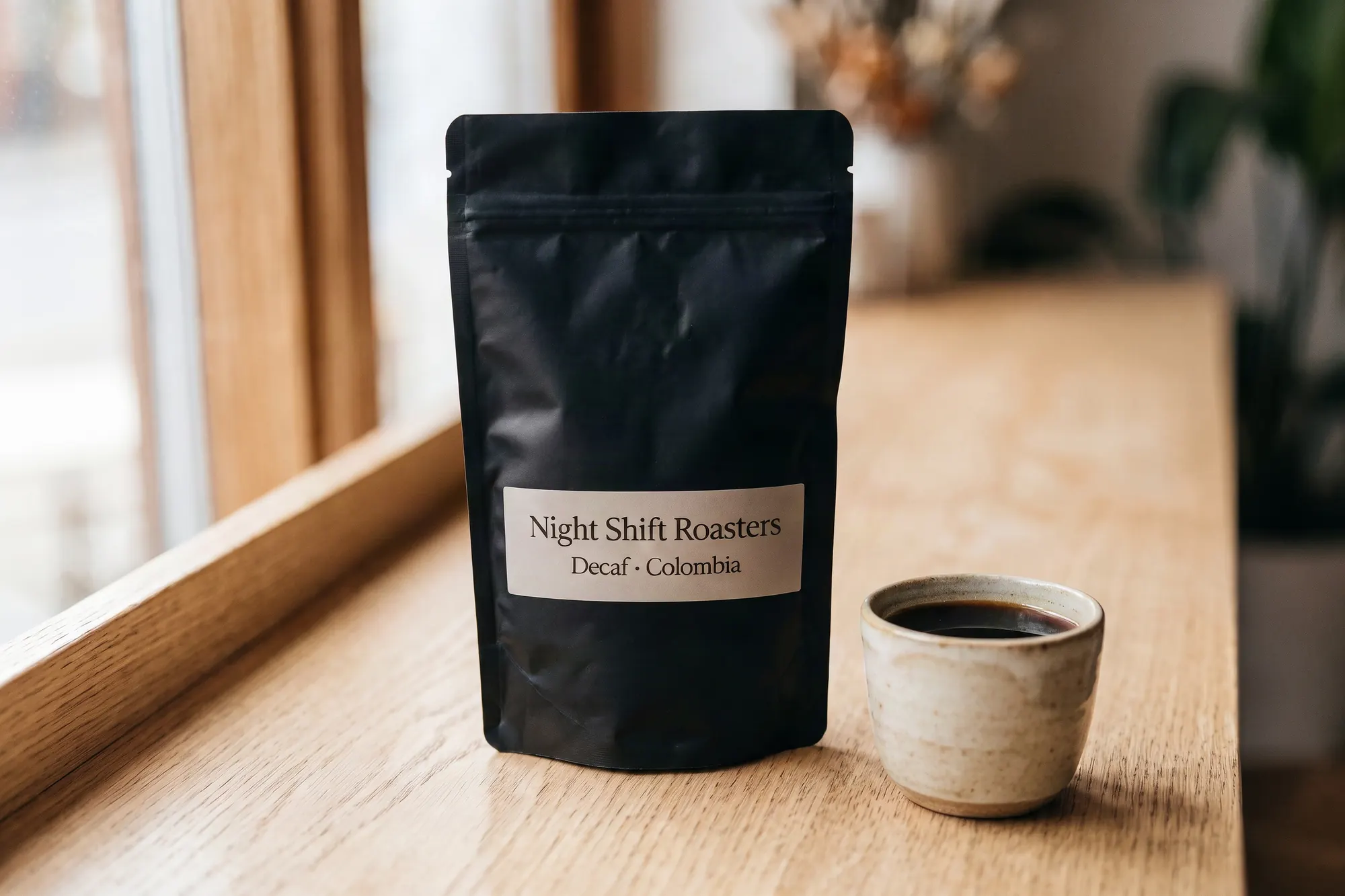
Settings: 3:2, 2K, Quick, one photo. 18 credits. It came back in 24 seconds at 2,496 × 1,664 pixels. The label is exact again, it kept its translucent paper this time, and the framing sits even closer to the original photo.
Putting a product in a person's hands
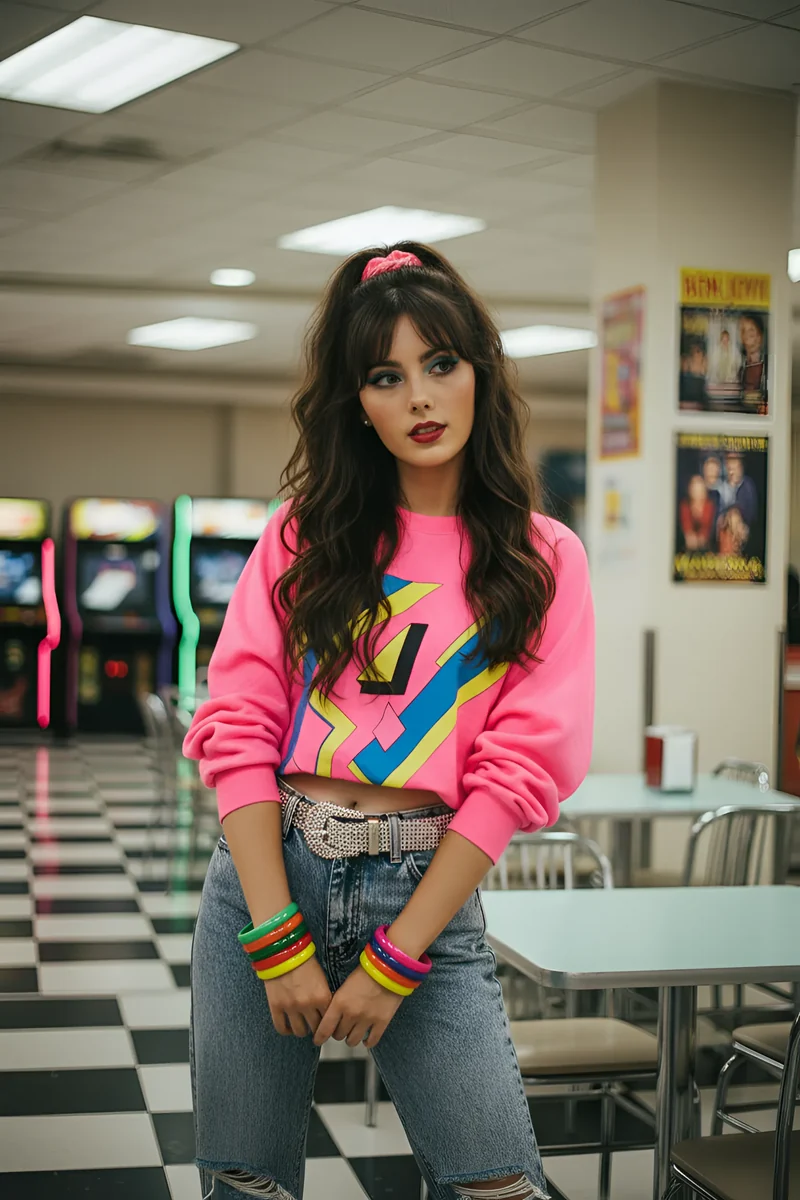
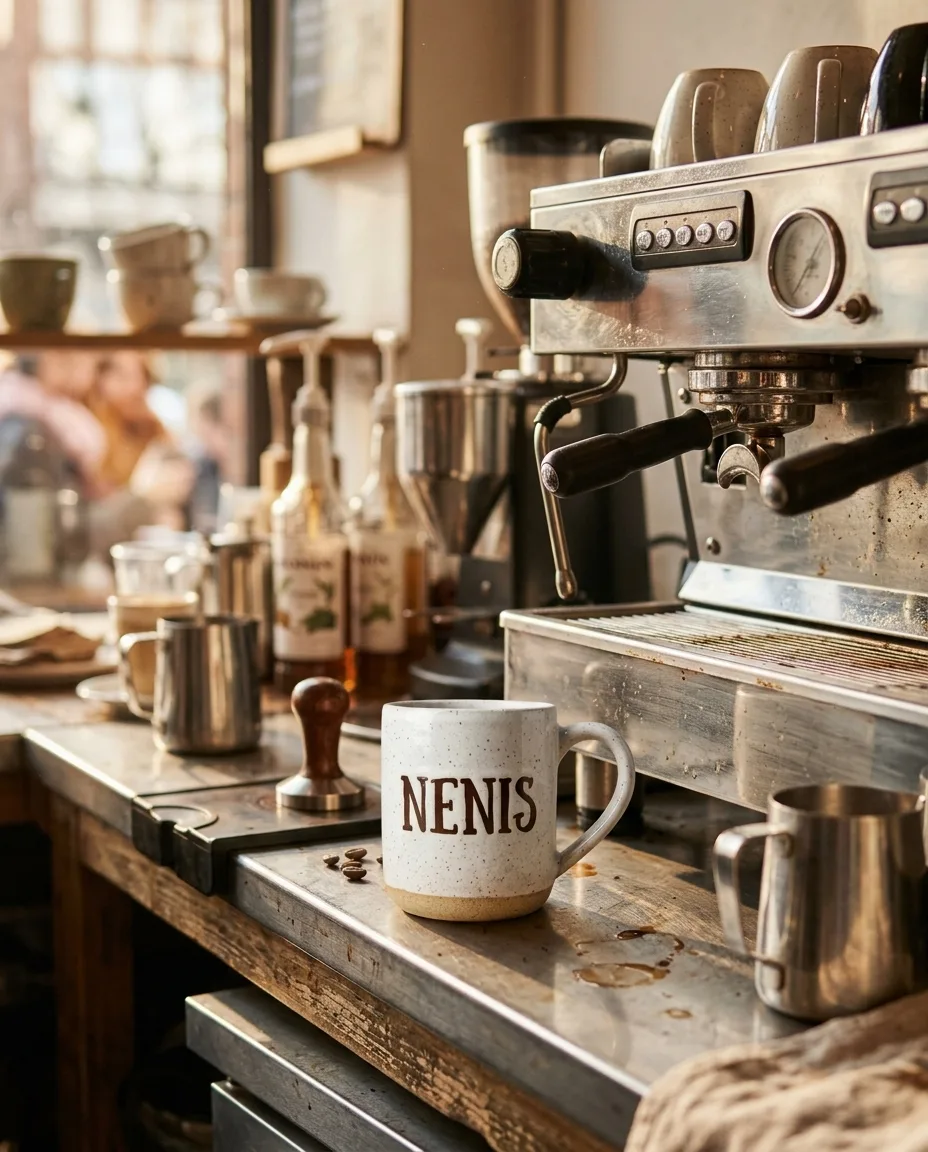
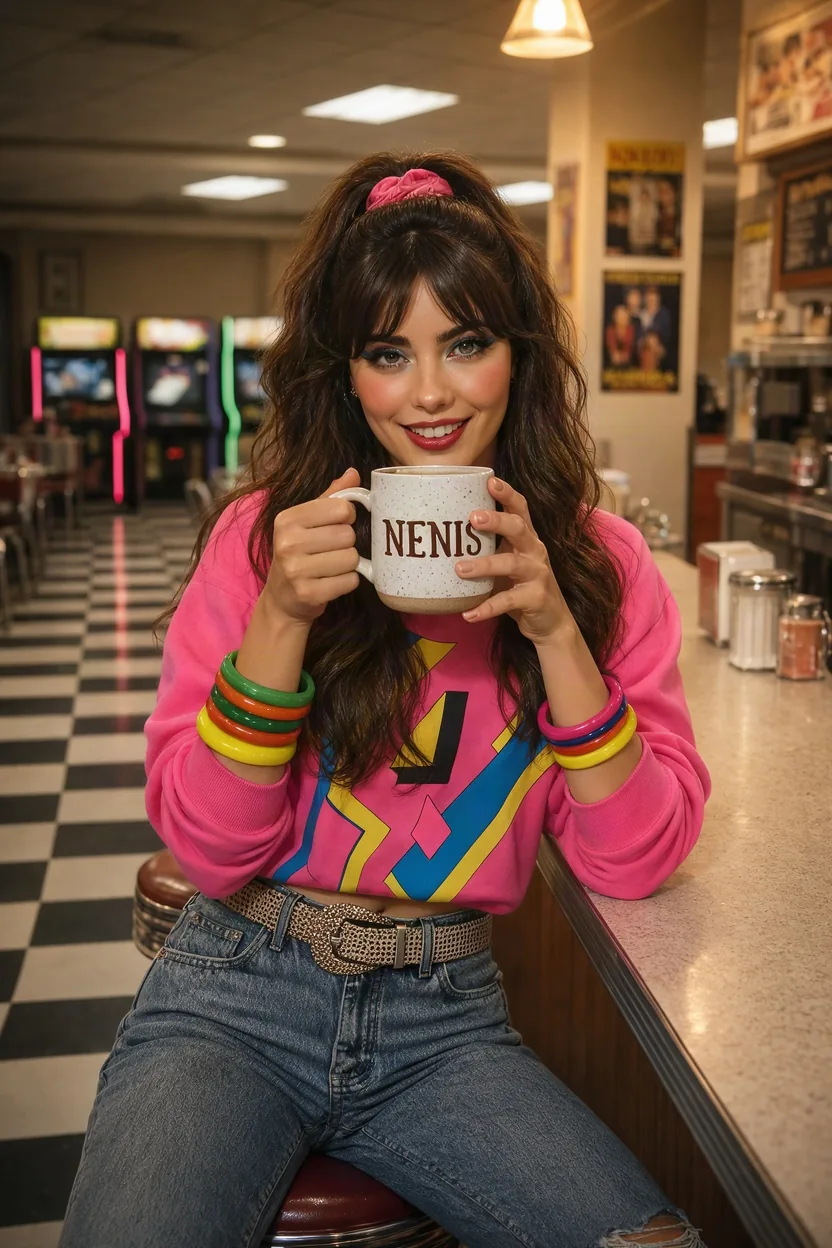
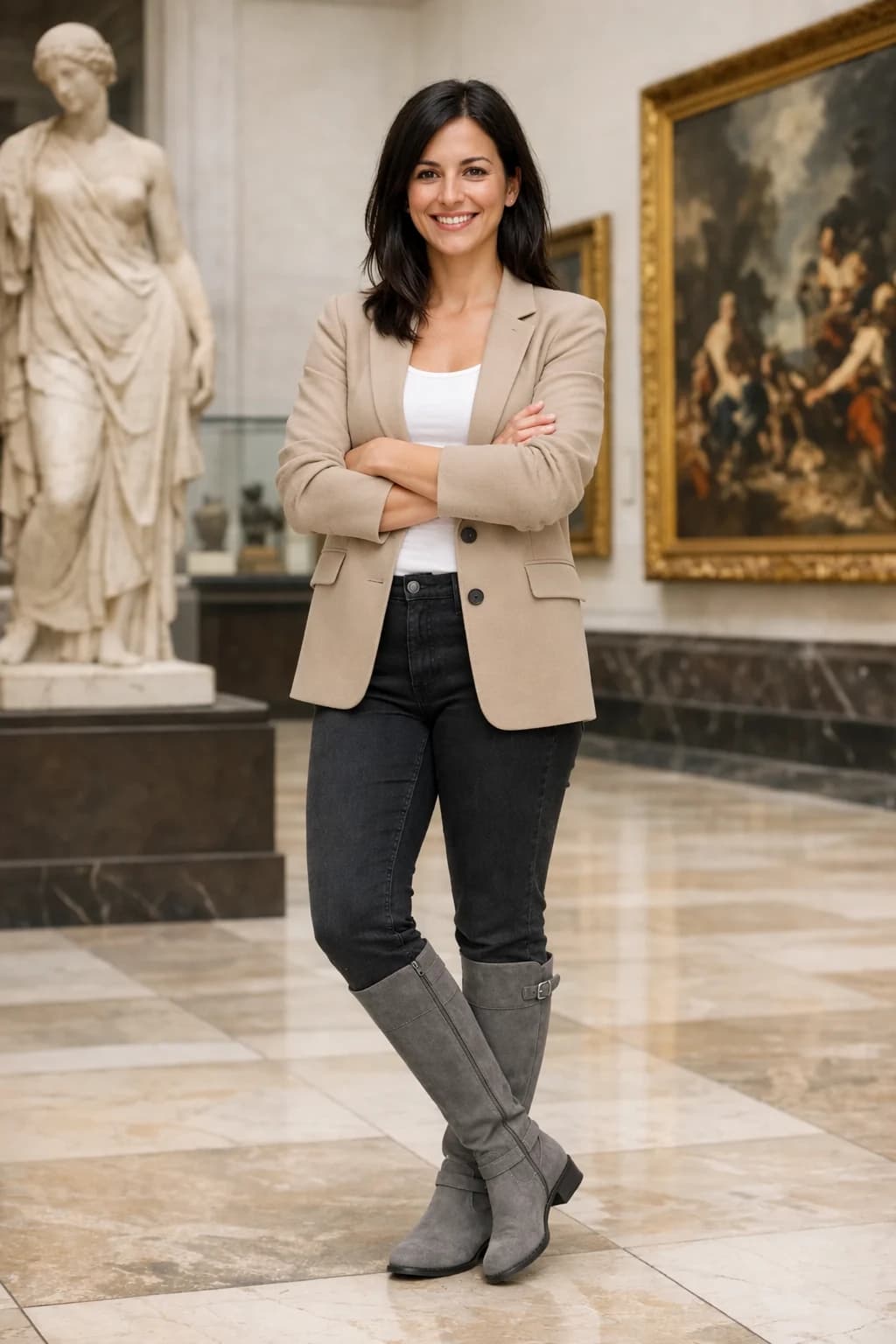
The woman from <image-1>, with the same face, hair, makeup and pink sweatshirt,
sits on a stool at the counter of the same retro diner and holds the white
speckled mug from <image-2> in both hands, smiling over it at the camera. The
brown NENIS lettering on the mug faces the camera and is spelled exactly as in
<image-2>. Same warm diner lighting and checkerboard floor.
Settings: 2:3, 1K, Careful, two photos. 11 credits. The sweatshirt print, the bangles, the studded belt and the scrunchie all carried over, and the mug kept its speckled glaze and its lettering. She is clearly the same person, though Krea 3 made her makeup a little heavier. The diner behind her was rebuilt rather than kept, so say which background details matter if they do.
Same photo, a different time of day
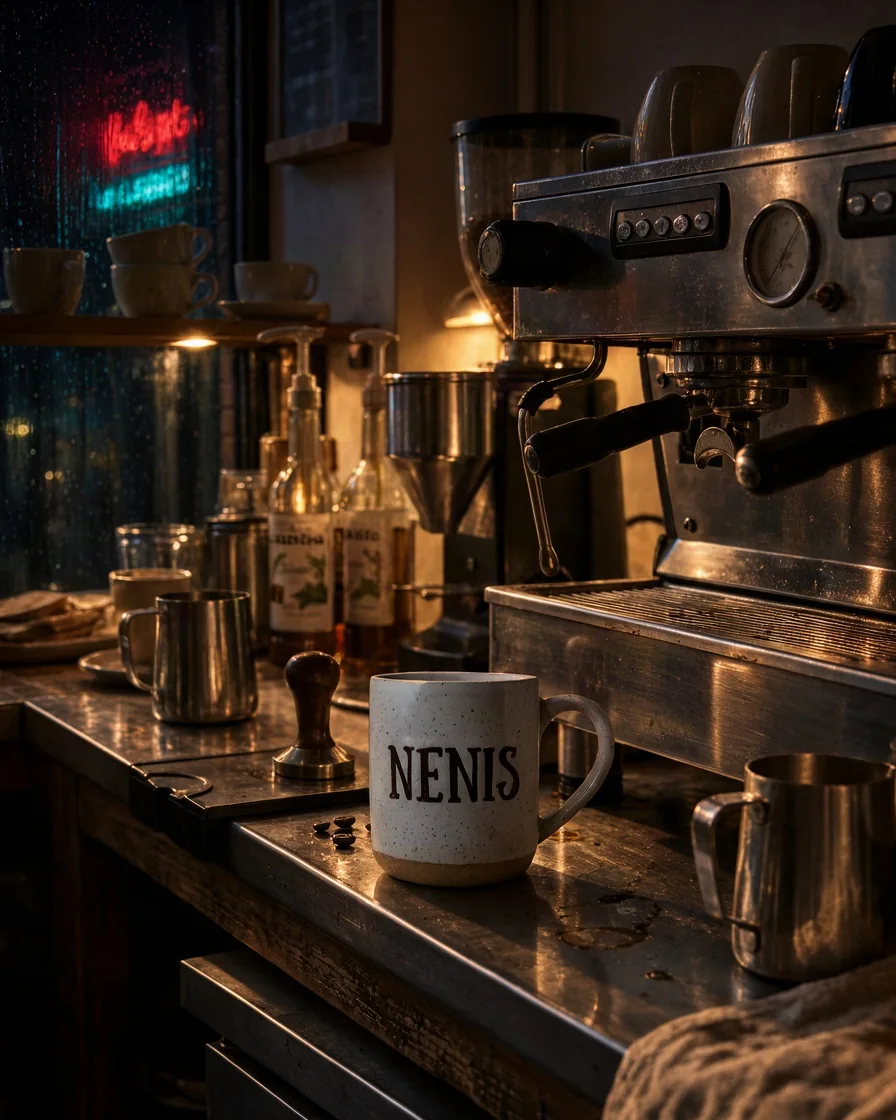
Edit <image-1>: the same café counter, the same espresso machine and the white
NENIS mug in the same place, but late at night. The window behind is dark,
streaked with rain and reflecting a red and teal neon sign. The only light is a
warm lamp under the shelf, making soft pools on the steel counter. Keep the
composition, every object and the NENIS lettering unchanged.
Settings: 4:5, 1K, Careful, one photo. 7 credits. Every object is where it was, from the tamper to the coffee beans, and the lighting changed convincingly across the steel. The neon sign shows the limit: we gave it no words, so it reads as nonsense letters. Quote any text you want to be legible.
Generating from words alone
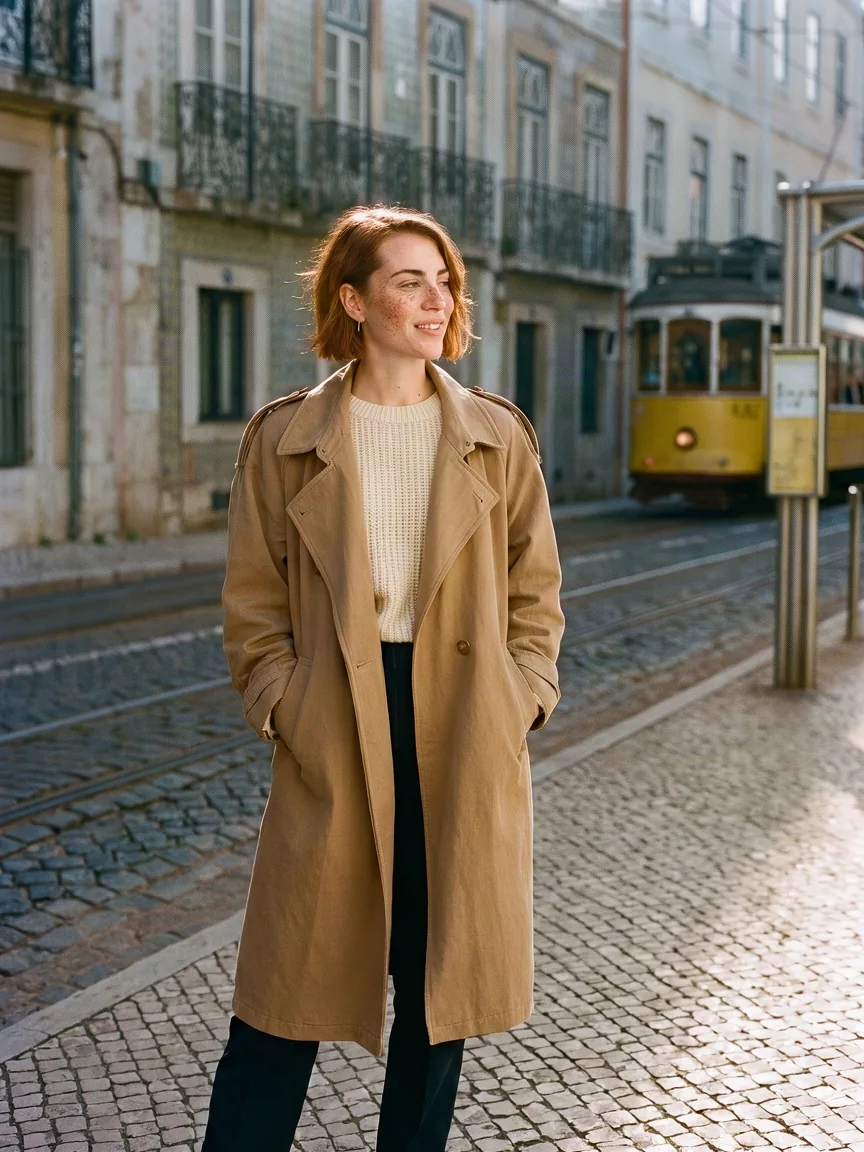
Candid street-style photograph of a woman in her late twenties with short copper
hair, light freckles and an easy half smile, wearing an oversized camel trench
coat over a cream knit, standing at a yellow tram stop in Lisbon in soft morning
light. Natural skin texture, real fabric detail, 35mm film look, shallow depth of
field.
Settings: 3:4, 1K, Careful. 4 credits. Skin, freckles and the weave of the knit look photographic, and the cobbles and tram place it in Lisbon without a caption.
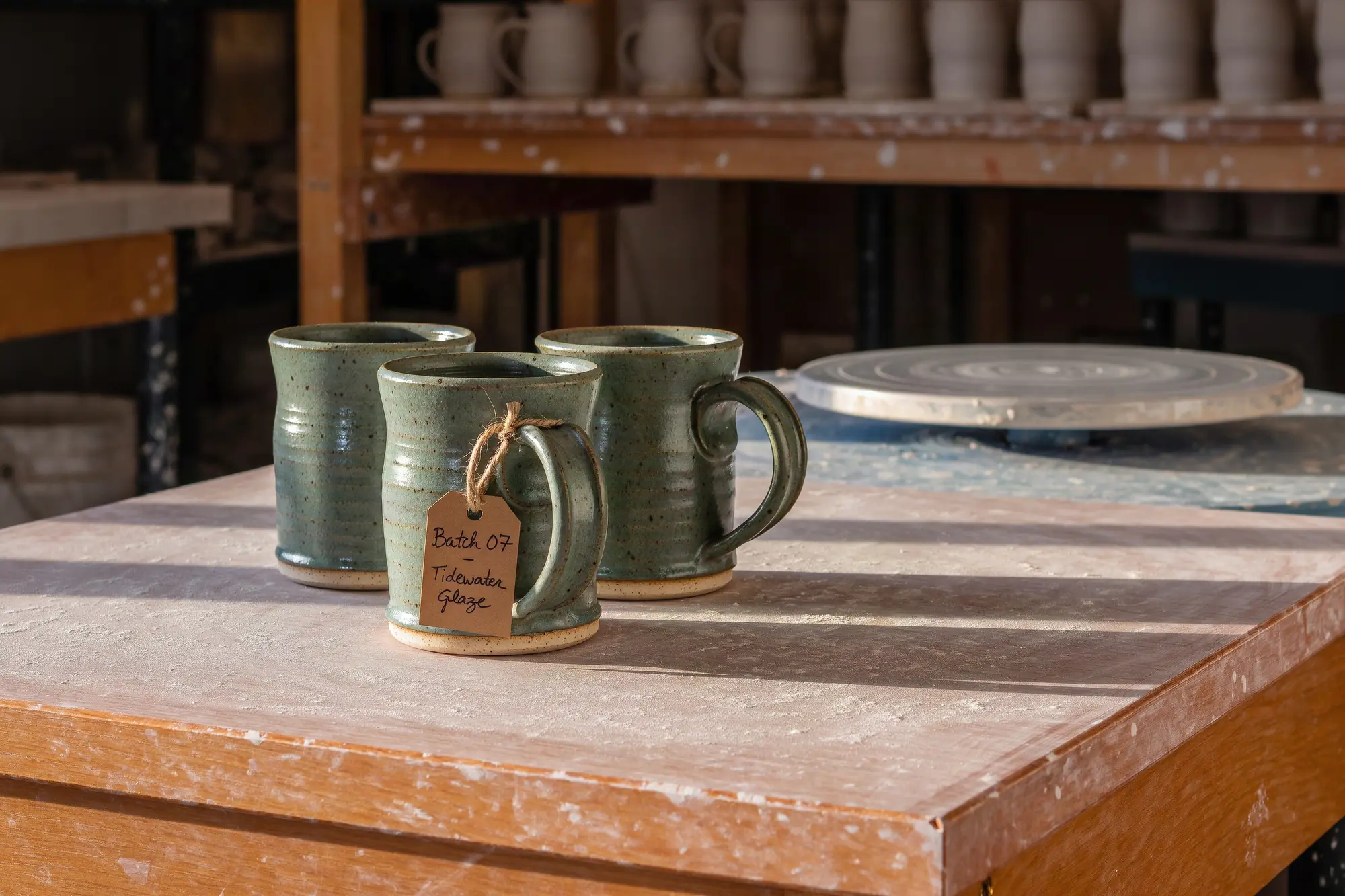
The hero image at the top of this guide is the 2K test:
Editorial product photograph of a potter's workbench at golden hour. Three
hand-thrown mugs in a speckled sea-green glaze stand on a worn oak bench dusted
with dry clay. A brown paper tag tied to the front mug reads "Batch 07 -
Tidewater Glaze" in neat handwriting. A shaft of low window light crosses the
bench, a potter's wheel is soft in the background. 50mm lens, shallow depth of
field, natural colour, crisp detail in the glaze and the clay.
Settings: 3:2, 2K, Careful. 14 credits. The handwritten tag is legible and spelled right, and the glaze speckle holds up at full size.
Quick, Careful, or Ultra?
Planning sets how long Krea 3 works your prompt out before it draws. Quick and Careful cost the same; Ultra costs more and is for edits only.
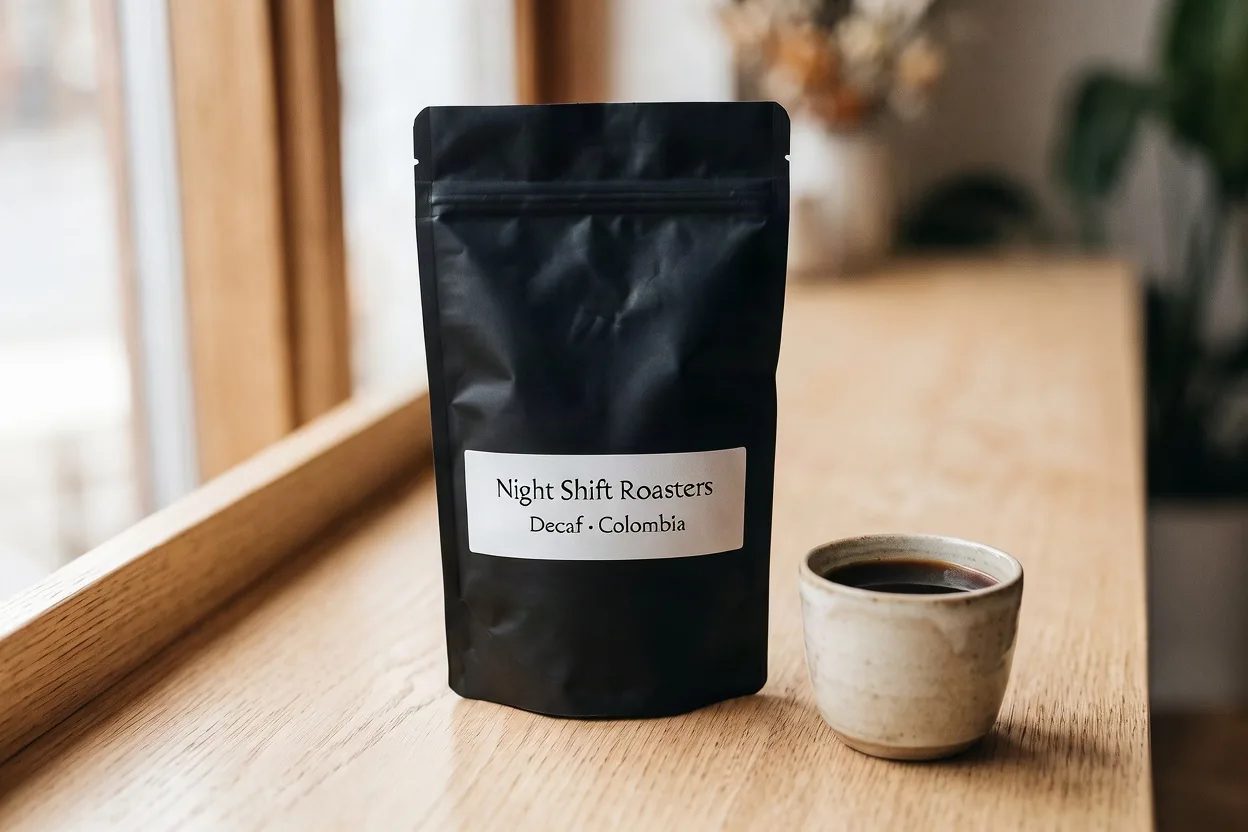
The label edit above took 41 seconds on Careful (left) and 18 seconds on Quick (right), with the same text on the label. At 2K, Quick took 24 seconds. Across our tests, Careful took 21 to 42 seconds at 1K and about 90 seconds at 2K. Nearly all of the extra time is planning.
- Quick is the default and suits clear, single-step edits and simple prompts.
- Careful is worth it for edits with several steps, several photos, or a long brief.
- Ultra is for an edit that has to be right the first time.
Ultra: the best of several attempts
On Ultra, Krea 3 makes several versions of your edit, checks them, and gives you the best one. It needs at least one photo, takes two to three minutes, and always returns about 4 megapixels in your photo's own shape, so Size and Ratio disappear while it is on. On Krea's own site Ultra is kept for its Max plan; in Nenis you pay per image.
The same label edit as above, on Ultra:
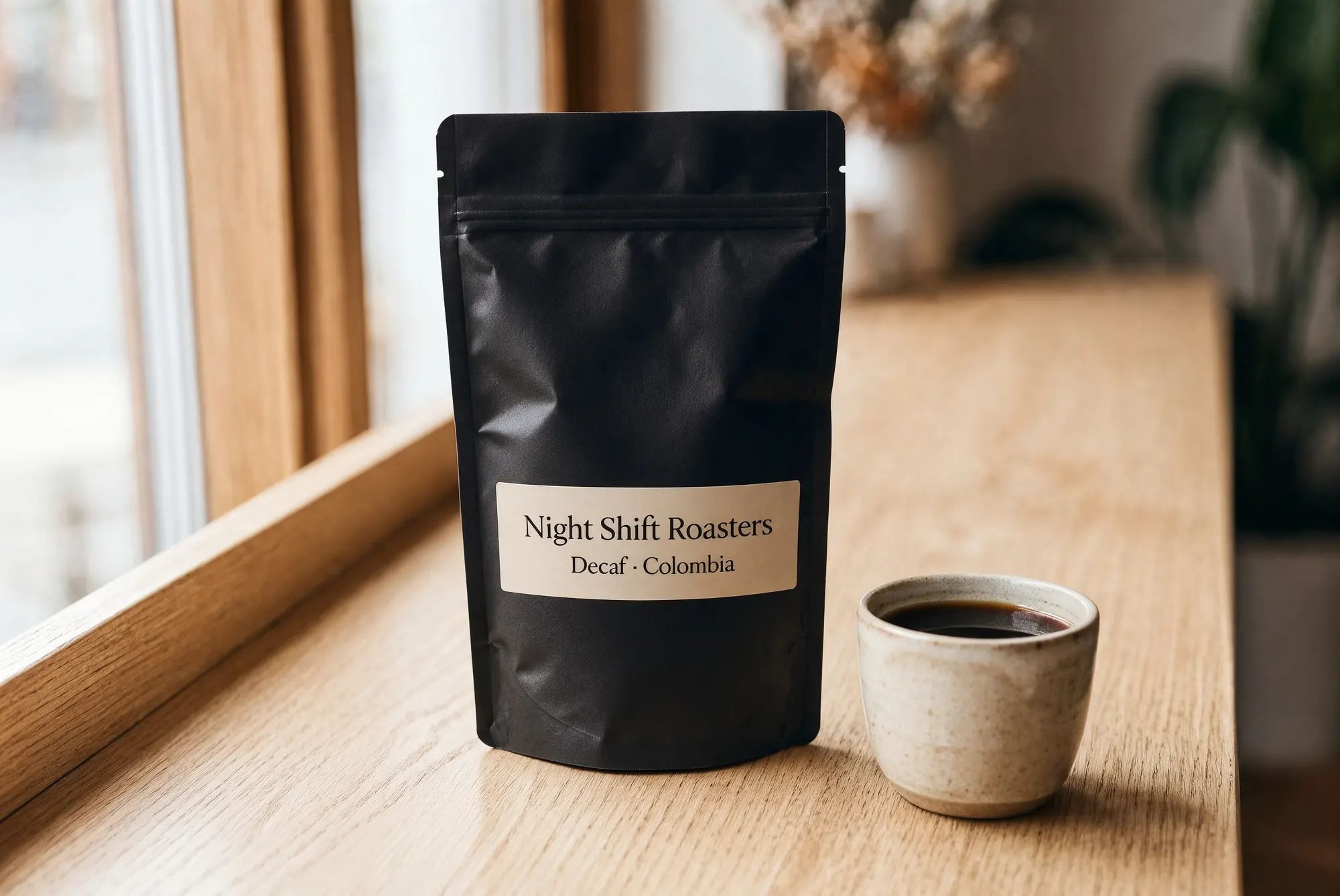
Settings: Ultra, one photo. 38 credits. It took two minutes and came back at 2,512 × 1,680 pixels. The bag, cup, window and sill sit exactly where they were in the original, and the label is letter for letter.
Ultra shows its value on a harder brief, with several changes and exact words:
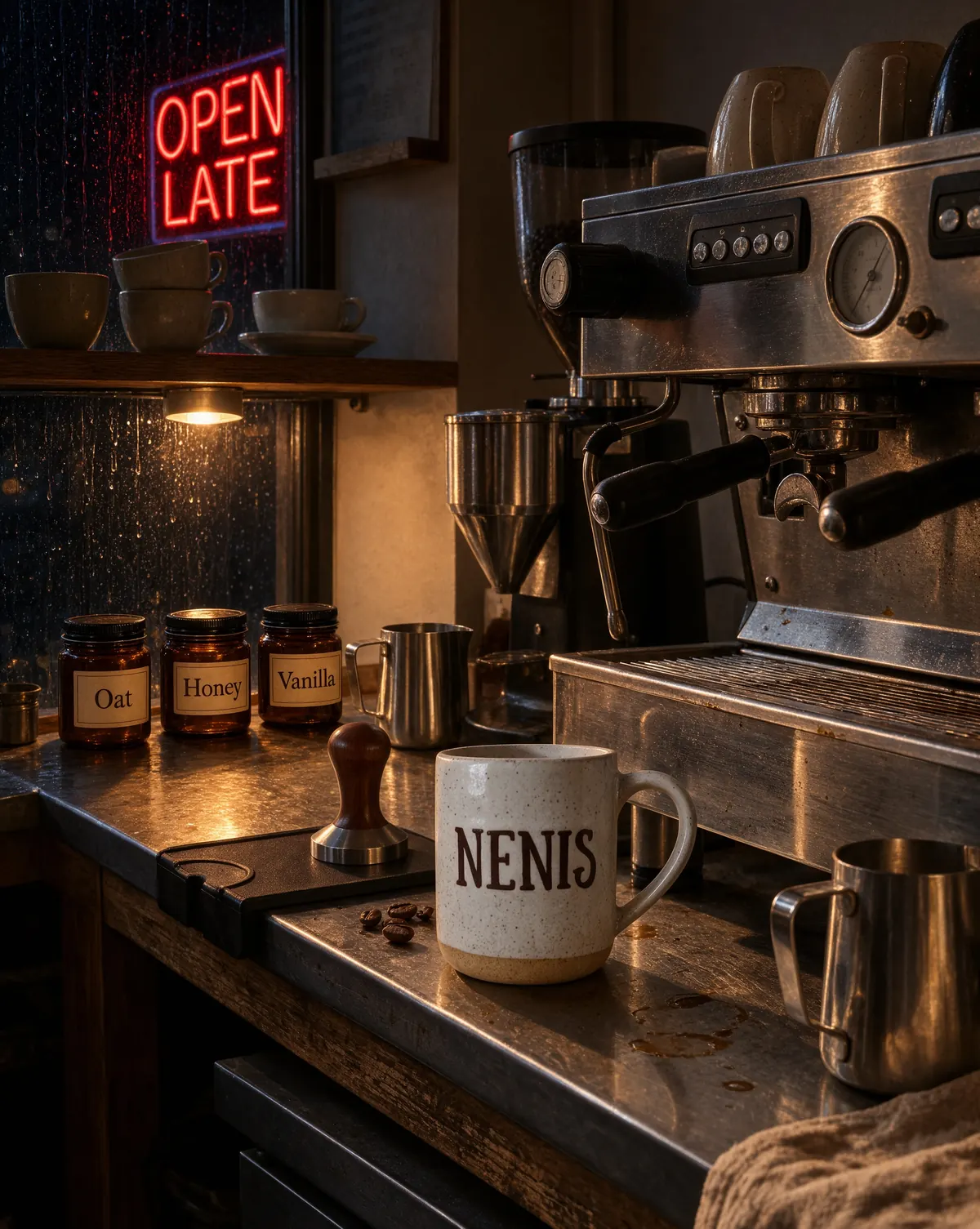
Edit <image-1>, keeping the camera angle, the espresso machine, the tamper, the
steel pitchers and the white NENIS mug exactly as they are. Make it late at
night: the window behind is dark and streaked with rain, and a neon sign outside
reflects in the glass, reading "OPEN LATE" in red. Replace the two syrup bottles
with three small amber glass jars with paper labels reading "Oat", "Honey" and
"Vanilla". The only light is a warm lamp under the shelf.
Settings: Ultra, one photo. 38 credits. Every word is spelled right, on the neon and on all three jars, and the mug, tamper, machine and pitchers kept their places. Several changes and exact words in one go is the kind of brief Ultra is for.
Krea 3 or another model?
| Krea 3 | Nano Banana 2.1 | GPT Image 2.5 Flare (High) | |
|---|---|---|---|
| 1K, no photos | 4 | 5 | 7 |
| 1K with one photo | 7 | 5 | 8 |
| 2K, no photos | 14 | 7 | 12 |
| 2K with one photo | 18 | 8 | 13 |
| Largest size | 2K | 4K | 4K |
| Reference photos | 8 | 14 | 16 |
| Results per run | Up to 4 | Up to 4 | Up to 10 |
- Choose Krea 3 for edits that must leave the rest of a photo untouched, and for 1K images from a prompt, where it costs the least of these three.
- Choose Nano Banana 2.1 for 4K, for wide formats, and for edits with many photos. Photos add almost nothing to its price.
- Choose GPT Image 2.5 Flare for up to sixteen references or ten results in one run.
When an edit matters, run the same prompt on two models and keep the better one. For every model side by side, see the image model comparison.
Limits to know before generating
- No 4K. Krea 3 tops out at 2K in Nenis.
- Photos add cost. Each one adds about 3.5 credits. Use only the photos the edit needs.
- No area selection yet. You describe what to change in words; you can't paint over part of the photo to mark it.
- Unprompted text can come out as nonsense. Quote every word you want on signs and labels.
- Ultra is slow and fixed in shape. Allow two to three minutes, and expect a 2K result in your photo's own shape.
- Backgrounds can be rebuilt. When you place a person or product in a scene, name the details you need to keep.
- The same seed won't give the same image twice. Krea notes that planning varies from run to run.
The recommendation
Reach for Krea 3 when a photo is almost right and one thing needs to change: a label, a colour, the light. Start on Quick at 1K for 7 credits with one photo, and move to Careful when the instruction has several parts. When an edit has several changes and exact words, and has to be right the first time, Ultra is worth its 38 credits. For a 1K image from a prompt it costs 4 credits, less than Nano Banana 2.1 or GPT Image 2.5 at its default quality.
A 2K edit with one photo costs 18 credits. For edits with several photos, Nano Banana 2.1 does the job for a fraction of the credits. Test your important edits on both.
Sources and image credits
All results were made by Nenis with Krea 3 on October 20 and 21, 2026, using the prompts and settings shown. Each is a single first attempt, not a benchmark. The input photos are earlier images made by Nenis. The speed comparison with other models is Krea-reported. Nenis controls and credit prices were checked against the production catalogue on October 21, 2026.