How to Make Christmas Product Photos Without a Photoshoot
Turn one honest phone photo of your product into Christmas listing photos with AI: the two-part prompt that keeps the product unchanged, four scenes from one candle, what to check before listing, and Etsy's rules for edited photos.
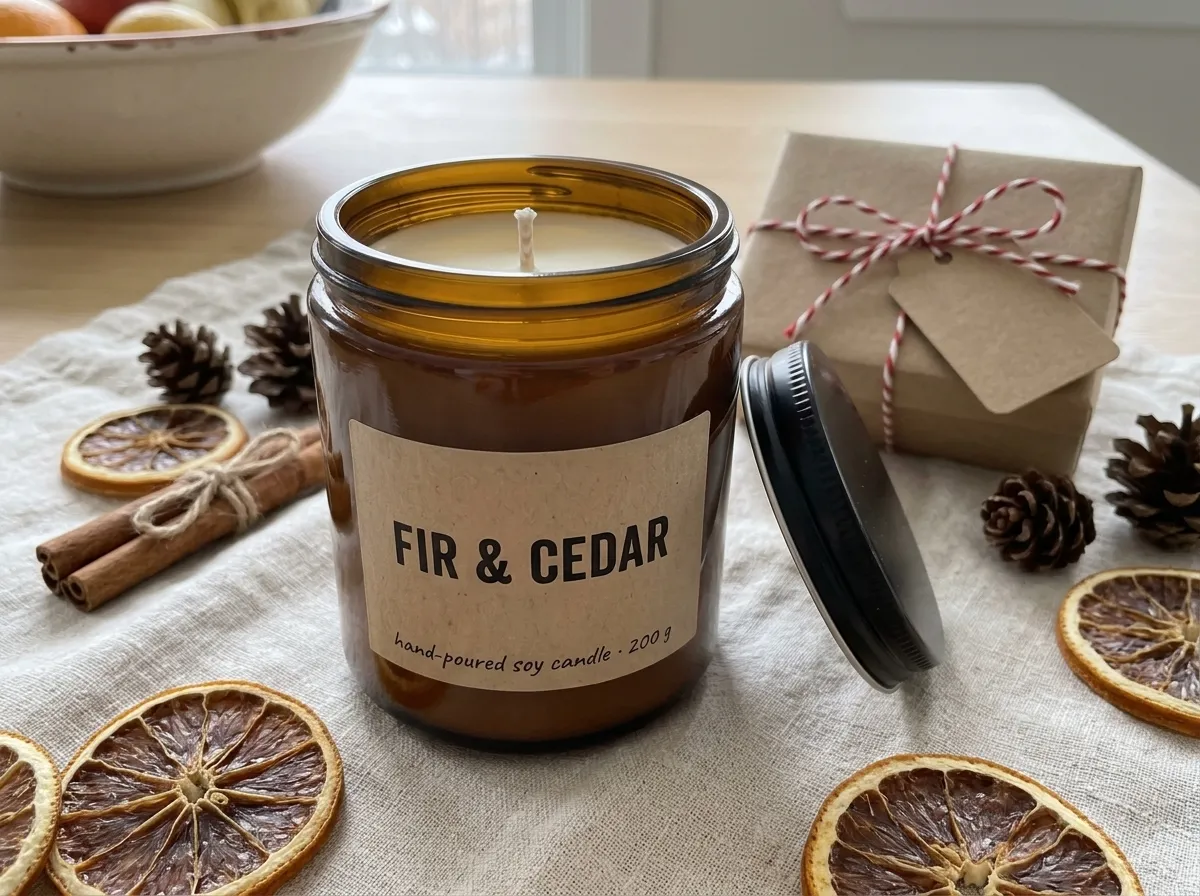
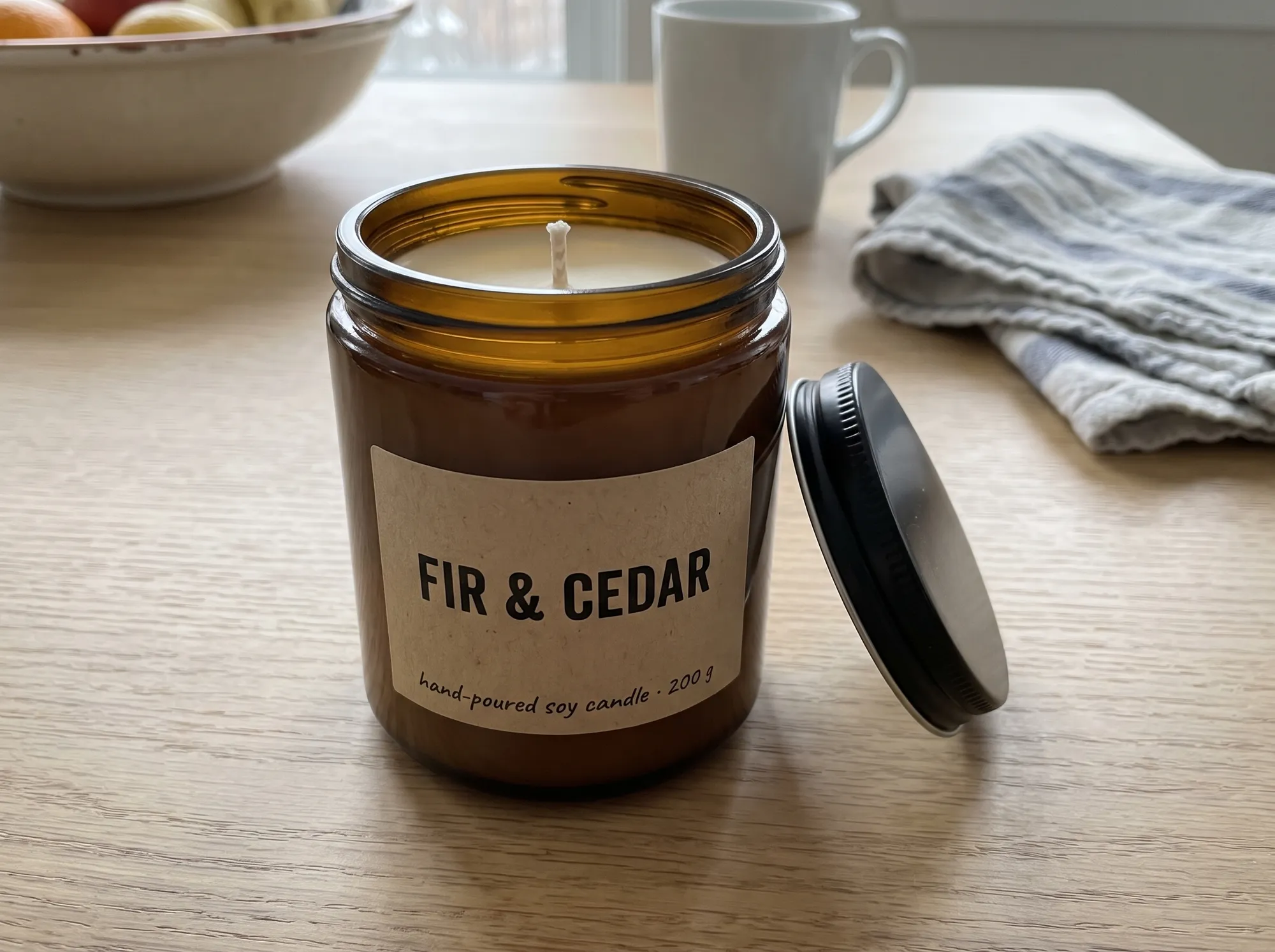
You don't need a styled set, a bag of props or a photographer to get Christmas photos for your shop. One clear phone photo of the real product is enough. AI builds the holiday scene around it, and the product stays exactly as buyers will receive it.
Below, one photo of a candle on a kitchen table becomes four Christmas listing photos, at 5 credits each with Nano Banana 2.1. One of them came back with a spelling mistake on the label. That turned out to be the most useful part of this guide, because it shows what to check before anything goes live.
The quick workflow
- Take one clear photo of the real product in daylight, with the label facing you. Keep it: it is also the unedited photo Etsy now asks for.
- In Create, add the photo and choose Nano Banana 2.1.
- Describe the scene, then add a sentence that tells the model to keep the product exactly as it is.
- Make one scene for each job the listing needs: a main photo, a mood shot, a gift shot, a seasonal angle.
- Zoom in on every result and compare it with your photo before you upload it.
Start with one honest photo
Since October 22, 2026, Etsy asks for at least one unedited photo of the actual item against a real background in most listings. You can crop or resize that photo, add a watermark or change its file format, and nothing else. The other photos can be edited, with AI too, to "adjust lighting or color, crop or resize images, or change backgrounds", as long as every image accurately shows the item's colour, condition, scale and materials.
That makes the plan simple: your phone photo is the unedited one, and the AI scenes are the extras. The first photo in the listing doesn't have to be the unedited one, but Etsy asks that it be "the clearest, most realistic representation of the item buyers will receive". Other marketplaces have their own image rules, so check yours before you list.
What makes a good starting photo:
- Daylight, no flash. Flat window light shows the real colours. The scene's own light comes later.
- The whole product in the frame, with the label or the detail buyers care about facing the camera.
- The angle you want in the scenes. The model keeps the camera roughly where it was. Turning a side shot into a top-down flat lay forces it to redraw the label, and that is where text goes wrong.
- Any ordinary background. The fruit bowl and tea towel above didn't matter; the model replaced them.
Write the prompt in two parts
Every scene prompt in this guide has the same shape. The first part says what changes around the product, and the second says what must not change. This second part was used word for word in all four scenes:
Keep the candle exactly as it is in this photo: the same amber glass jar with the same shape and size, the cream wax, the wick, the black lid, and the kraft label with exactly the same words and letters. Change only what is around it.Write your own version by listing what a buyer would notice if it changed: the shape and size, the colours, the material, the lid or clasp, the label. Naming each one works better than "keep the product the same".
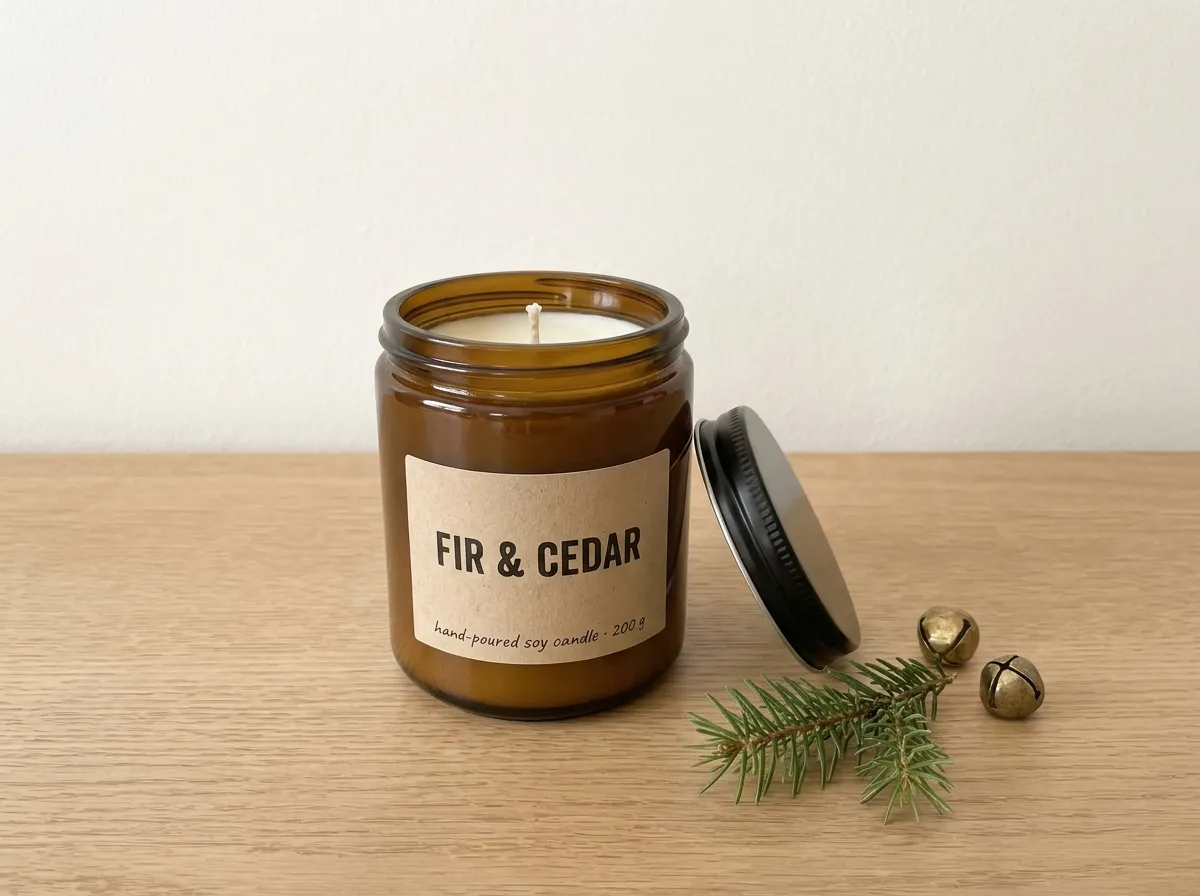
For the first part, describe a place, its light and a few props, and say nothing about the product. This is the main photo's prompt in full:
Turn this into the main photo for a Christmas shop listing: the candle on a light oak surface against a plain warm off-white wall, in soft daylight from the left with a gentle shadow, with one small sprig of fir and two tiny brass bells beside it. Clean, bright and simple, with plenty of empty space around the candle.Four scenes from one photo
Each scene has its own job in the listing:
| Scene | What the prompt asked for | Its job |
|---|---|---|
| Main photo | A plain off-white wall, daylight, one sprig of fir and two brass bells | The first image and the thumbnail: clear and bright, festive in one small detail |
| Evening mantel | A fireplace mantel at night, the candle lit, Christmas tree lights behind | The product in use, and the feeling it sells |
| Gift table | A kraft-wrapped gift with red-and-white twine, pine cones, cinnamon, dried orange | Says "this is a present" without a word of copy |
| Snowy window | A white windowsill, frost on the glass, snow falling outside | A seasonal second angle for social posts and ads |
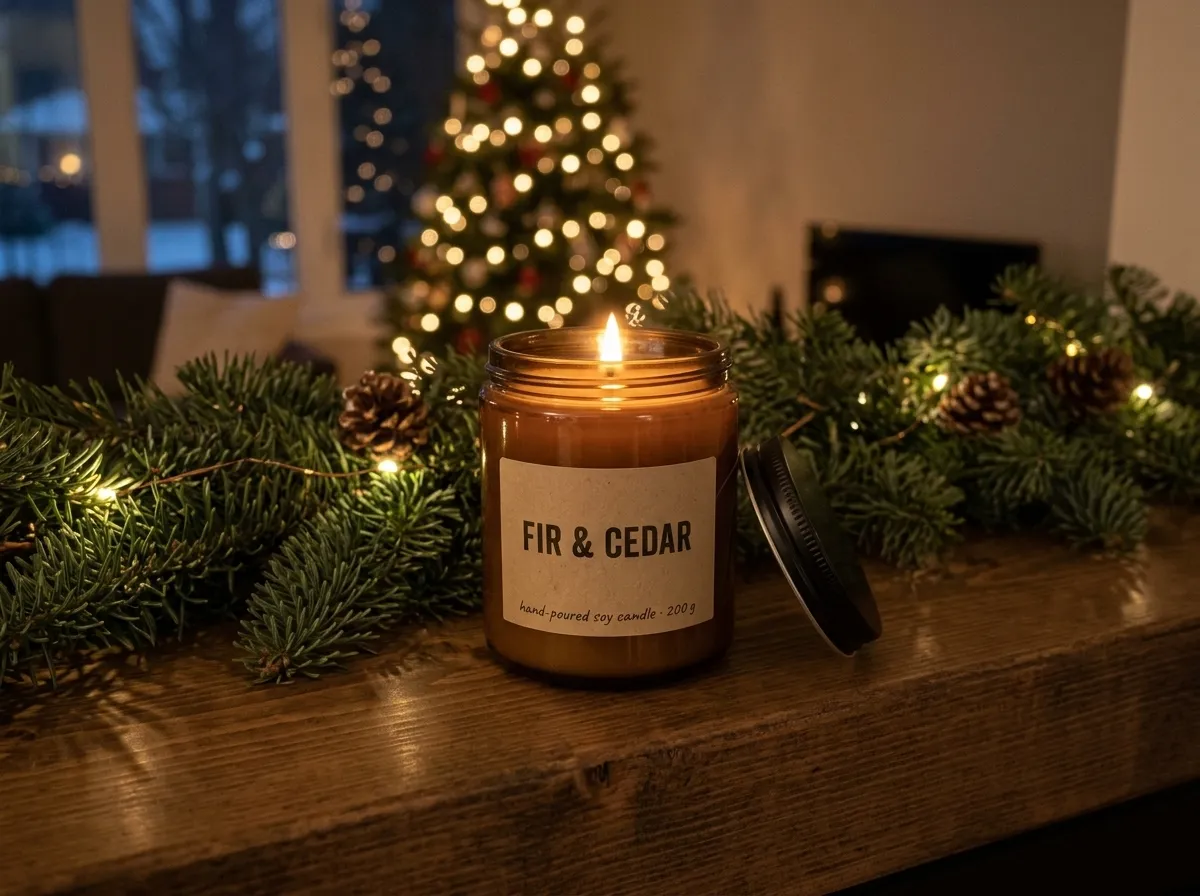
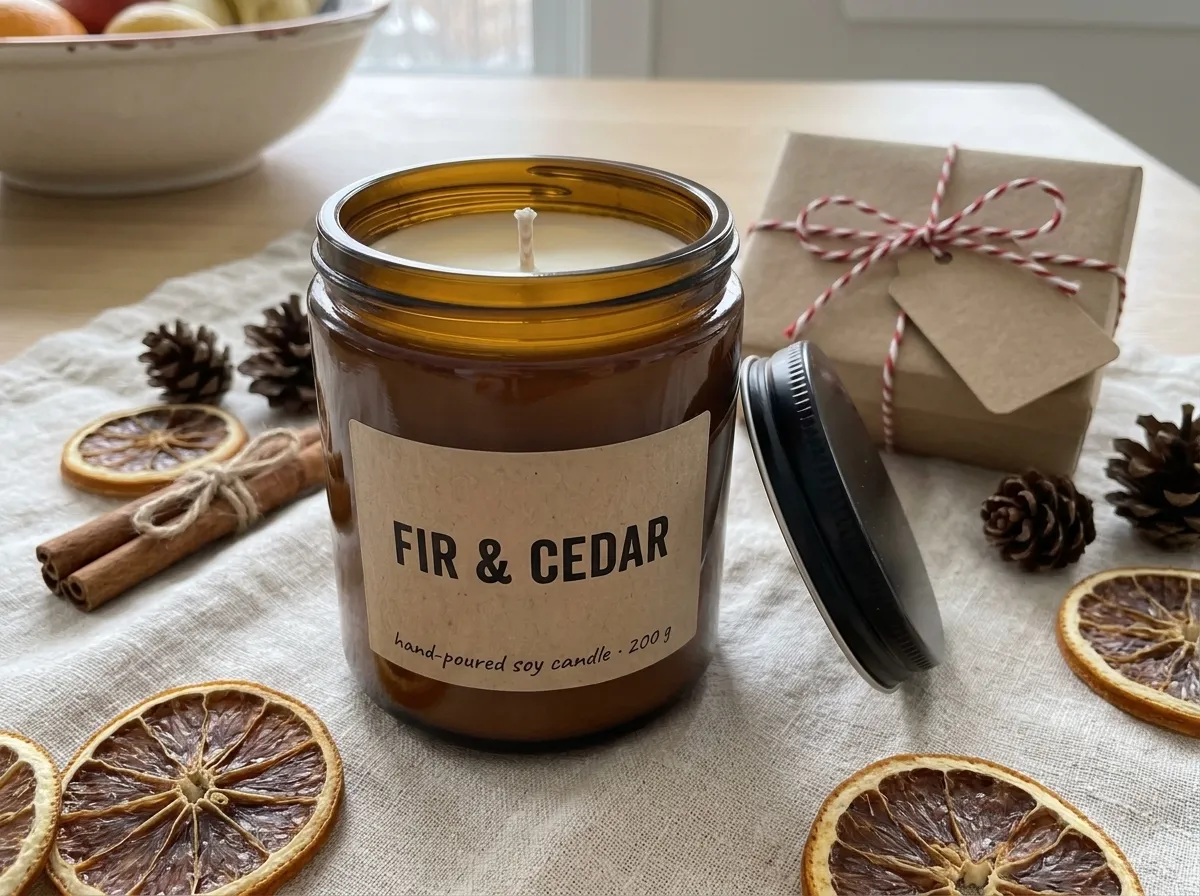
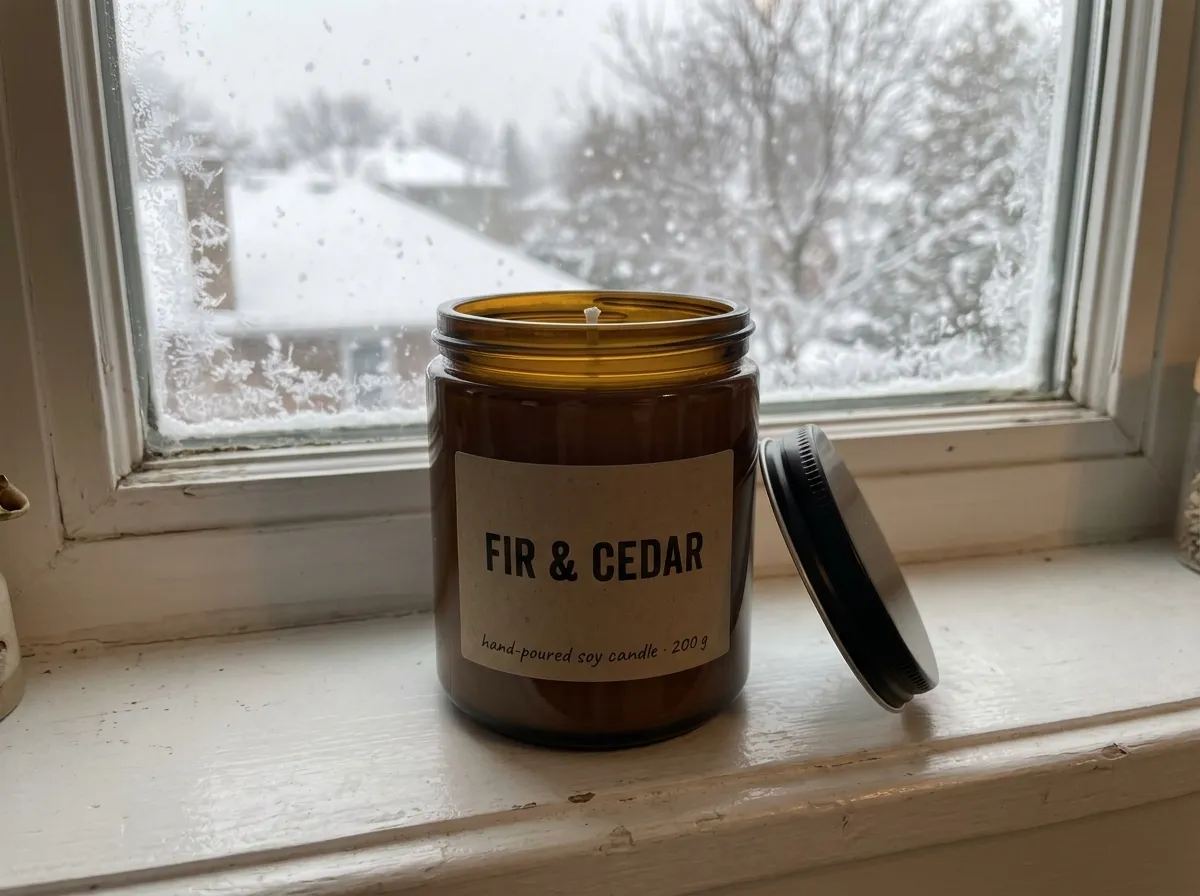
All four kept the jar, the black lid and the bold FIR & CEDAR lettering. The lit candle even gained a shallow melt pool, as a real one would. The props do quiet work too: a cinnamon stick or a pine cone next to the jar tells a buyer how big it is, which a plain background can't.
Check every photo before you list it
The gift-table scene looked perfect at full size. Zoomed in, the small print on the first try read "soy oandle":
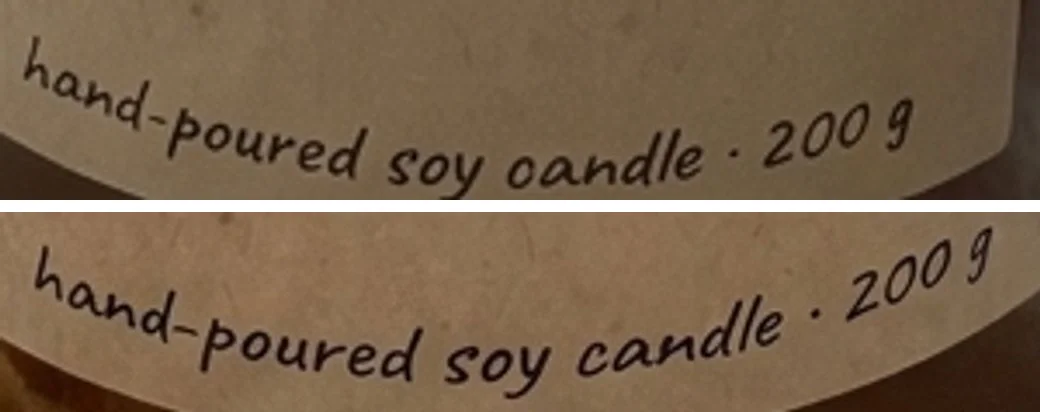
The fix cost one more run. The same prompt, with one sentence added that spells out the label, came back correct:
The label reads exactly FIR & CEDAR, and below it, exactly: hand-poured soy candle · 200 g.Colour needs the same check. A scene's light changes how the product looks, and that is honest up to a point: a kraft label looks warmer by firelight and cooler by a snowy window. It must still read as the same kraft paper, and the jar as the same amber glass.
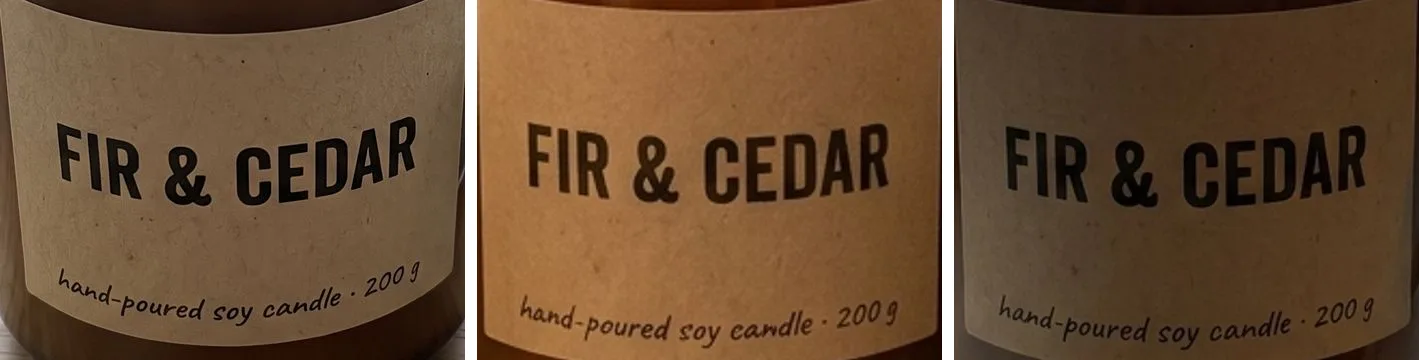
Before you upload, compare each result with your photo:
- Every word on the label, letter by letter, including the small print.
- Colour and material under the scene's light.
- Shape and size next to the props. A jar that grew beside a cinnamon stick is a different product.
- Nothing added: no extra text, no second product, no accessory you don't sell.
- Nothing hidden: Etsy doesn't allow editing that hides flaws or makes the item look different from what arrives.
If something drifted, run it again with that detail named in the prompt. When an edit must leave everything but the background untouched, Krea 3 is the more precise choice. For more on keeping a product consistent across images, see how to use reference images.
Etsy also recommends saying in the listing description when photos were edited with AI. For edited photos that is a best practice; disclosure becomes a requirement when AI was used to make the item itself.
Sizes and credits
Etsy recommends listing photos at least 2000 pixels wide and tall, and at least 635 pixels for the first photo. The first photo should be landscape or square, with enough border around the product to crop it into square, portrait and landscape thumbnails. A 4:3 landscape image with the product in the middle covers all of that.
| Nano Banana 2.1, with your photo | Size of a 4:3 image |
Credits |
|---|---|---|
| 1K | 1200 × 896 | 5 |
| 2K | 2400 × 1792 | 8 |
| 4K | Over 2000 on both sides | 11 |
The cheapest way to a full-size listing photo is to try scenes at 1K, pick the winners, and run them through the upscaler: 4× costs 2 credits and turns 1200 × 896 into 4800 × 3584. It enlarges the exact image you already checked, so the label stays as you approved it. Remaking a scene at 4K instead gives you a new image, which needs checking again.
The four scenes in this guide cost 20 credits at 1K, plus 5 for the re-run. The one-time €1.99 trial pack has 100 credits: enough for about 14 finished listing photos at 7 credits each (a 1K scene plus a 4× upscale).
The recommendation
Keep your real photo as the honest one and let AI do the set dressing. Start with the main photo and the gift scene, check the label letter by letter, then upscale the winners for upload. Four Christmas photos cost less than a coffee, and the product in them is still the one that arrives.
For the full marketplace workflow beyond Christmas, see how to create marketplace product photos with AI.
Sources and image credits
Etsy's rules are quoted from Requirements and Best Practices for Images in Your Etsy Shop (Etsy Help, read November 21, 2026). The October 22, 2026 announcement date comes from Value Added Resource's coverage of the change. Marketplace rules change, so check your platform's current rules before listing.
Every candle image was made for this guide on November 21, 2026 with Nano Banana 2.1 and the prompts shown. The candle is invented, and so is its phone photo, which was generated to look like a quick snap. With a real product, your own photo is the starting point and stays your unedited listing photo. The scenes were made at 1K to keep this page light. Credit prices were checked against the Nenis model catalogue on November 21, 2026.